
To upsell on Shopify, pick a product your customers already buy, decide what the logical next purchase is, and offer it once at the moment they’re most likely to say yes: on the product page, in the cart, just before checkout or right after they pay. Shopify’s free tools handle simple recommendations and bundles. An upsell app adds one-click offers after payment, targeting and offer testing.
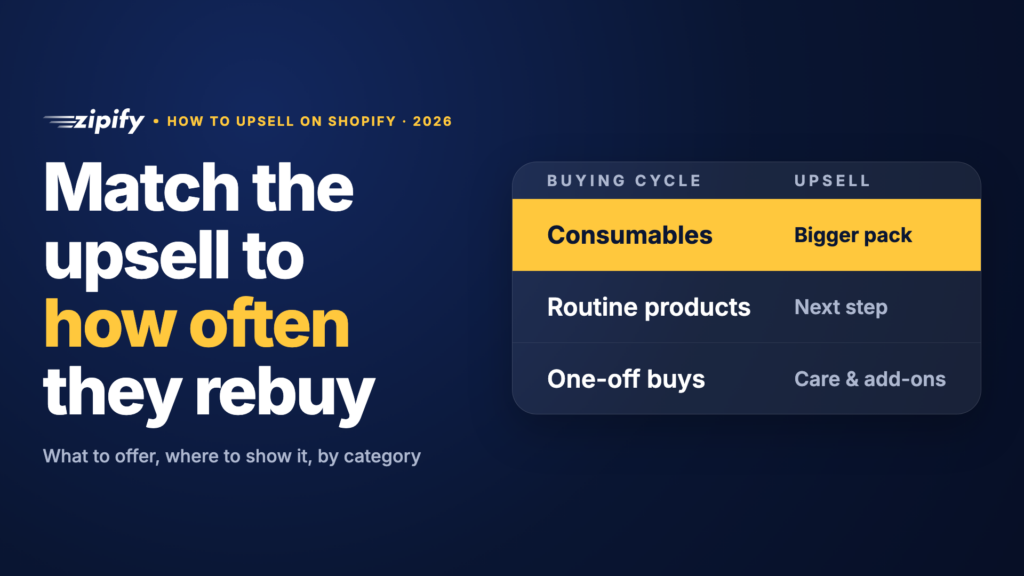
What most guides skip is the first decision: what to offer. That depends less on your niche than on how often your customers come back. A supplement buyer reorders every month, a skincare buyer works through a routine, and someone who buys a watch may not shop with you again for years. Each one needs a different upsell.
I rebuilt this guide around that buying cycle on November 22, 2026, using Zipify’s published OneClickUpsell (OCU) offer data and case studies, Recharge’s subscription data and Shopify’s Help Center.
TL;DR
- Decide what to offer before you decide where to show it: the offer should match how often your customer rebuys.
- Consumables (supplements, food, pet) sell best with quantity, bundle and subscription upgrades.
- Routine products (skincare, personal care) sell best with the next step in the routine.
- One-off purchases (apparel, accessories, home) sell best with care, protection and complete-the-look add-ons.
- Judge every offer by revenue per visitor, not acceptance rate alone, and change one thing at a time.
What Is Upselling On Shopify?
Upselling on Shopify means offering a shopper a better version of what they’re buying, or a closely related add-on that makes the purchase better, at some point between the product page and the order confirmation. Strictly, an upsell raises the value of the same choice (one bottle becomes a 3-pack) and a cross-sell adds a different product (cleanser, then serum). Most stores run both, and most apps treat them as the same kind of offer.
- Good upsell “You’re looking at a single bottle. Here’s the 3-pack at 20% off.” (product page or pre-purchase)
- Good upsell “You’ve got the cleanser in your cart. Here’s the serum that completes the routine.” (cart)
- Good upsell “You just checked out. Here’s the matching accessory, one click to add it.” (post-purchase)
- Bad upsell Anything that feels random, unrelated, or timed to interrupt rather than extend.
The rule that governs every upsell in this guide: a good upsell makes the original purchase better.
What Should You Upsell On Shopify, Based On The Rebuy Cycle?
What you should upsell depends on how often the customer will buy from you again. If they come back every month, the best upsell locks in more of that repeat spend now. If they’re working through a routine, it’s the next product in the routine. If they may never come back, it’s whatever protects, completes or extends the thing they just bought.
The data backs the split. Recharge, which runs subscriptions for 20,000 brands, reports in its Subscription Trend Report 2026 that subscribers placed nearly 3x more orders than one-time shoppers. Its renewal analysis for July 2025 to June 2026 found that commodity consumables like coffee, deodorant and pet food processed 73.1% of scheduled orders, against 69.5% for functional products like probiotics and collagen. Everyday products people simply run out of are the easiest repeat purchase to lock in.
Scroll sideways for more →
| Rebuy cycle | What to offer | Where to show it first |
|---|---|---|
| Consumables: supplements, coffee and food, pet food, razors | More of the same: multipack, bundle upgrade (30-day to 90-day supply), subscribe-and-save | Before checkout (pop-up or cart), then a subscription offer after payment |
| Routine products: skincare, haircare, personal care | The next step in the routine: serum after cleanser, primer before foundation, a travel size | Cart drawer and post-purchase |
| One-off purchases: apparel, watches, accessories, home goods | Care, protection and completion: screen protector, care kit, matching piece, extended set | Post-purchase and product page |
Rebuy cycles from Recharge’s 2026 subscription data; offer pairings are my recommendations based on the Zipify case studies below.
Where Can You Show An Upsell On Shopify?
You can show an upsell in six places on Shopify: the product page, the cart drawer, a pop-up before checkout, inside checkout (Shopify Plus only), the post-purchase page right after payment, and the thank-you page. They don’t perform the same. Zipify’s Buyer’s Journey report split 123.9 million OCU offer views across 16,600 stores (November 2025 to October 2026) by placement, and acceptance ran from 2.4% to 13.3%:
- Product page (4.0% accepted): a widget or pop-up with an upgrade or a “frequently bought together” pairing before the shopper adds to cart.
- Cart drawer (8.8%): one relevant add-on while the shopper reviews the order, often next to a free-shipping progress bar.
- Pre-checkout pop-up (13.3%): an offer between “Add to cart” and checkout. The highest acceptance of the six.
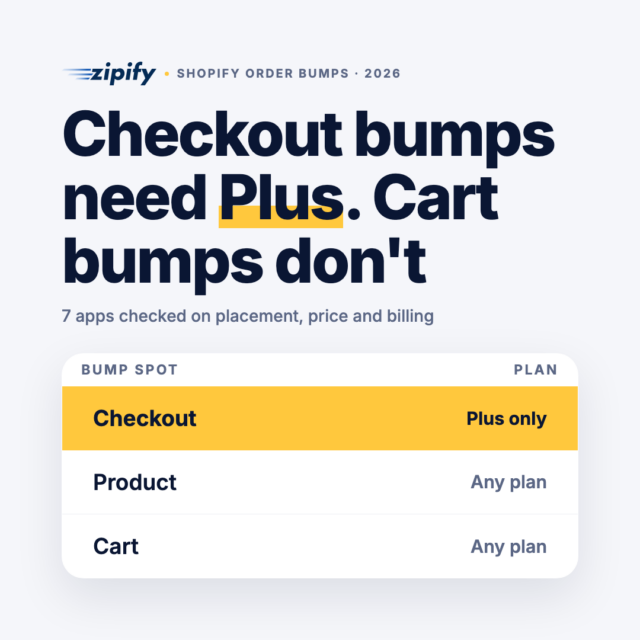
- In-checkout (4.2%): an offer inside Shopify’s checkout, available on Shopify Plus.
- Post-purchase (8.7%): an offer after payment that the customer adds with one click, without re-entering card details. It earned the most revenue in the report because nearly every store runs it.
- Thank-you page (2.4%): seen by every buyer, accepted least often. Cheap to add, but don’t expect it to carry your upsell revenue.

You don’t need an app for the first two. Shopify’s free Search & Discovery app lets you choose up to 10 complementary products for any product page, and the free Shopify Bundles app builds fixed bundles and multipacks. Both are set up by hand, product by product. One-click post-purchase offers, pop-ups and offer testing need an app. I covered the free route step by step in how to upsell on Shopify without an app.

How Do You Upsell Consumables Like Supplements, Food And Pet Products?
Upsell consumables with more of the same product: a bigger pack, a longer supply or a subscription. The customer already knows they’ll run out, so the offer only has to make stocking up feel like the smart move. It’s also where repeat buying is strongest: health and wellness is now the biggest subscription category on Recharge, with 11.2 million active subscribers in mid-2026. Shopify’s own Shopify Subscriptions app lets you sell a product as a subscription next to the one-time option, which gives a post-purchase “subscribe and save” offer something to point to.
What to offer
Multipack or bundle upgrade (30-day to 90-day supply), subscribe-and-save, a complementary consumable (protein and creatine, food and treats, coffee and a grinder).
Where to show it
Before checkout for bundle upgrades, because the shopper can still swap the single unit for the bigger pack. After payment for the subscription offer, once the first order is safe.
What the data shows
- Triquetra Health, a science-backed supplement brand on Shopify Plus, generated $211,885 in additional revenue in under six months with OCU, a 33x ROI. 65% of that revenue came from pre-purchase “Upgrade to Bundle” offers.
- Cheech & Chong tested quantity offers. The 1-bag offer converted at 14.48% and the 3-bag offer at 10.19%, yet revenue per visit rose from $2.52 to $4.56 with the 3-bag offer. Fewer people said yes, and the store earned more.
- Gussy’s Gut, a pet wellness brand, added relevant add-ons in the OCU cart drawer and saw AOV rise 16.47% in the first 30 days, with 50% of all upsell orders coming through the cart.
For a consumable brand, a returning buyer is a different upsell target from a first-time buyer. They already trust the product, so a larger bundle or a loyalty offer is a smaller ask for them. If your app supports targeting, give returning customers their own offer.
How Do You Upsell Routine Products Like Beauty And Personal Care?
Upsell routine products with the next step in the routine. A skincare or haircare buyer is shopping for a result, not a single item, so the add-on that completes the routine reads as help rather than a pitch. It isn’t an add-on. It’s the completion.
What to offer
The next product in the routine (cleanser, then serum, then moisturizer), a travel-size version of what’s in the cart, an applicator or tool, or a premium version of the same product.
Where to show it
The cart drawer for small add-ons, the post-purchase page for the next routine step, a pre-checkout pop-up for upgrades.

Ezra Firestone, Zipify’s founder, runs this logic across BOOM! by Cindy Joseph: each product line gets its own offer. Boomstick Color buyers see a complementary eye product, Boom Clean buyers see a scrub pairing, and Boom Silk buyers see a facial oil to seal in moisture. Same funnel, different offer per product line, because different buyers have different next steps.
What the data shows
Savvy Touch, a natural personal care brand from New Zealand, had run only post-purchase upsells. After it added complementary products to the OCU cart drawer, those cart upsells brought in $38,134, 76% of its total upsell revenue (Slide Cart Drawer case study, which also covers Gussy’s Gut). One placement change, not a funnel rebuild.
How Do You Upsell One-Off Purchases Like Apparel, Accessories And Home Goods?
Upsell one-off purchases with whatever protects, completes or extends the item, because there may be no second order to wait for. A shopper who buys a jacket, a watch or a lamp is building something (an outfit, a setup, a room), and the add-on that finishes it fits the intent they arrived with.
What to offer
Complete-the-look pieces (top to bottom, shoe to bag), care and protection (shoe cleaning kit, fabric spray, screen protector), accessories that make the item work better, or a 2-pack of basics.
Where to show it
The post-purchase page for care and protection items, the product page or cart for complete-the-look pieces.
What the data shows
Hard Hat Watches, a smartwatch brand for tradespeople, built a post-purchase funnel of accessories with OCU. Its upsell revenue doubled in five months, from $311K to over $622K (AUD), and post-purchase offers now drive more than 33% of its total revenue.
For home and lifestyle stores with slow-moving stock, a mystery bundle works as a one-off upsell too: “add $X in mystery products for $Y.” The customer doesn’t know exactly what they’ll get, but they know the value floor, and you move inventory without a deep discount.
Which Upsell Rules Work In Every Category?
Five rules hold whatever you sell. Ezra has applied them across his own 8- and 9-figure Shopify brands, and they show up again in the Zipify case studies above.
- Match the offer to the customer, not just the product. The offer should reflect what that buyer wants next, not what you want to move. Same setup, different offer per buyer type.
- One strong offer beats three weak ones. Stacking offers without logic breaks trust at every placement. One clear offer per moment.
- Price on value, not discount depth. In Cheech & Chong’s discount test, 15% off converted at 17.95% and 20% off at 16.71%, so the smaller discount converted 7.4% better and kept more margin.
- Add the thank-you page last, not first. Every buyer sees it, but it had the lowest acceptance of the six placements in Zipify’s report. Use it for a low-effort extra once the higher-intent spots are running.
- Judge offers by revenue per visitor. Revenue per visitor (upsell revenue ÷ visitors who saw the offer) captures both how many people said yes and how much they spent. An offer with a lower take rate and a higher price can earn more, which is exactly what Cheech & Chong’s 3-bag offer did.
How Do You Build Your First Upsell On Shopify?
Build your first upsell on one best-selling product, with one offer, in one placement, and give it two weeks before you judge it. The platform matters less than the logic:
- Pick your best-selling product. Start with the one SKU that drives the most orders.
- Find its rebuy cycle. Use the table above: consumable, routine or one-off. That tells you what to offer.
- Choose one placement. Post-purchase is the easiest start because it never touches the checkout. A pre-checkout pop-up had the highest acceptance in Zipify’s data, so test it next.
- Set a modest discount. I’d start at 10–15% off and test deeper discounts only if acceptance stays low.
- Run a test checkout. Confirm the offer fires correctly before real customers see it.
- Let it run for 2 weeks. You need enough orders to read the result.
- Check acceptance and revenue per visitor. Then change one thing: the product, the placement or the discount.

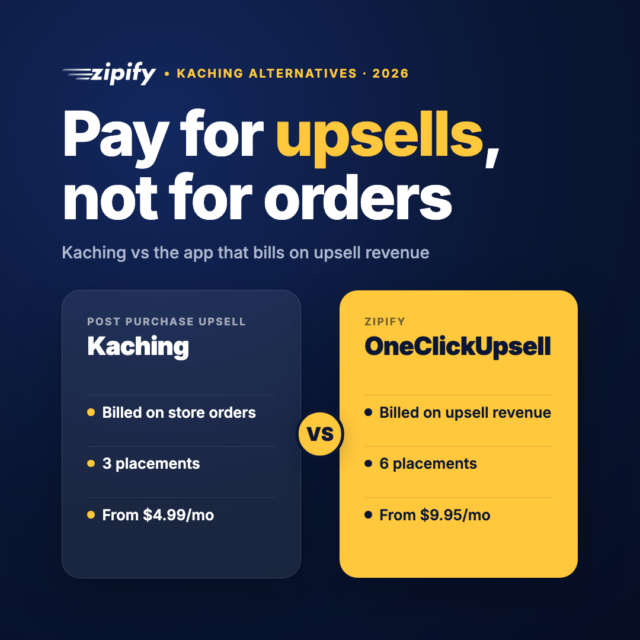
In OneClickUpsell, that first offer is a funnel: install the app, enable its app embed in your theme, choose the trigger product, pick the offer product and discount, and place a test order. OCU covers every placement in this guide (product page, cart drawer, pre-purchase, in-checkout on Shopify Plus, post-purchase and thank-you page) from one dashboard, with AI-recommended offers and offer split testing. Pricing starts at $9.95/month and scales with the upsell revenue OCU generates, never with order volume, after a 30-day free trial (OCU pricing). See everything OneClickUpsell does.
Try every placement in this guide free for 30 days
Your upsell launch checklist
- Map your top 3 SKUs to 2–3 next-step products, using the rebuy-cycle table.
- Run at least two placements once the first offer works, so one weak spot doesn’t decide your results.
- Start discounts at 10–15%, not 25–30%.
- Place a test order before going live.
- Set the cart’s free-shipping threshold just above your current AOV, if you use a progress bar.
- Track revenue per visitor as the main number, not take rate alone.
- Review after 30 days: acceptance, revenue per visitor and margin, before you change anything.
- Give returning customers their own offer if you sell consumables.
Frequently Asked Questions
What is the difference between an upsell and a cross-sell?
An upsell offers a better, larger or upgraded version of the product a customer is already buying. A cross-sell offers a separate, complementary product. Both raise order value: upsells raise the value of the original decision, cross-sells extend the purchase. Most Shopify upsell apps, OCU included, run both offer types.
What is a good upsell conversion rate on Shopify?
It depends on the placement. In Zipify’s Buyer’s Journey report (123.9 million OCU offer views, November 2025 to October 2026), 7.9% of offer views became a purchase overall. Pre-checkout pop-ups converted best at 13.3%, post-purchase offers at 8.7% and thank-you page offers lowest at 2.4%. Compare your offer with the same placement, not with an overall average.
What should I upsell if I sell supplements?
Upsell more of the same product. The strongest supplement offers are quantity upgrades (single bottle to a 3-pack or a 90-day supply) shown before checkout, and a subscribe-and-save offer shown right after payment. Returning customers already trust the product, so give them their own bulk or loyalty offer if your app supports targeting.
Can you upsell on Shopify without an app?
Yes, partly. Shopify’s Search & Discovery app shows up to 10 complementary products per product on the product page, and the free Shopify Bundles app sells fixed bundles and multipacks. Both are set up by hand. Pop-ups before checkout, one-click post-purchase offers and offer testing need an upsell app.
Can upsells hurt my conversion rate?
They can, if they’re irrelevant, badly timed or stacked on top of each other. The rule is to never interrupt the primary purchase. Post-purchase and thank-you page offers can’t cost you the original order, because the payment is already complete. Offers before checkout need more care: keep them relevant, show one at a time, and watch your store’s conversion rate when you add one.