
Look up Kaching upsell pricing and you’ll get three tiers from the App Store listing, a directory that skips the middle of the price list and a rival app claiming Kaching charges $0.99 per transaction. None of that tells you what your store will pay.
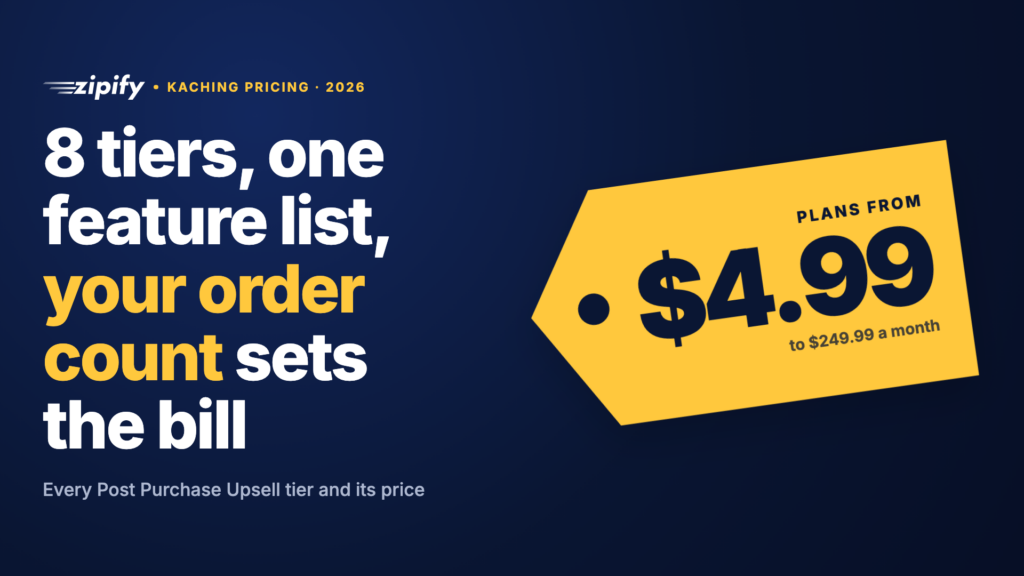
Here’s the short answer. Kaching Post Purchase Upsell has 8 paid tiers set by your monthly orders, from $4.99 a month (up to 99 orders) to $249.99 (20,000+ orders). Every tier has the same features and a 14-day free trial, and development stores use it free. I checked every tier on Kaching’s pricing page and its help center on November 18, 2026. Still choosing an app? Zipify also keeps a roundup of post-purchase upsell apps with live demos.
TL;DR
- Kaching Post Purchase Upsell costs $4.99 to $249.99 a month across 8 tiers, set by how many orders your store gets each month.
- Every paid tier includes the same features, so a bigger plan only buys you more order headroom.
- The bill jumps at each tier line: going from 199 to 200 orders a month takes it from $7.99 to $19.99.
- Kaching publishes no price for 10,000 to 19,999 orders a month, so ask its team before you grow into that range.
- Deactivating the app doesn’t stop the charges. Uninstalling does, though the current 30-day cycle may still be billed.
How Much Does Kaching Post Purchase Upsell Cost In 2026?
Kaching Post Purchase Upsell costs $4.99 a month for up to 99 orders, $19.99 for up to 499, $49.99 for up to 1,999 and $249.99 for 20,000+. That’s 8 flat tiers set by monthly orders, billed in USD every 30 days. Each tier starts with a 14-day free trial, and development stores pay nothing.
Scroll sideways for more →
| Monthly orders | Price per month | Cost per order at the top of the tier |
|---|---|---|
| Up to 99 | $4.99 | 5.0¢ |
| 100 to 199 | $7.99 | 4.0¢ |
| 200 to 499 | $19.99 | 4.0¢ |
| 500 to 999 | $36.99 | 3.7¢ |
| 1,000 to 1,999 | $49.99 | 2.5¢ |
| 2,000 to 4,999 | $89.99 | 1.8¢ |
| 5,000 to 9,999 | $139.99 | 1.4¢ |
| 10,000 to 19,999 | Not published | — |
| 20,000+ | $249.99 | 1.25¢ at 20,000 |
Source: Kaching’s Post-purchase pricing page and Shopify App Store listing, checked November 18, 2026. Cost per order is my math (price ÷ the tier’s top order count).
The App Store listing shows only the first three paid tiers and a free plan for development stores. The rest sit behind its “See all pricing options” link, which is why so many directories stop at $19.99. Prices are monthly only: unlike Kaching’s Bundles app, the Post Purchase page shows no yearly price.
What Do You Get On Every Kaching Post Purchase Plan?
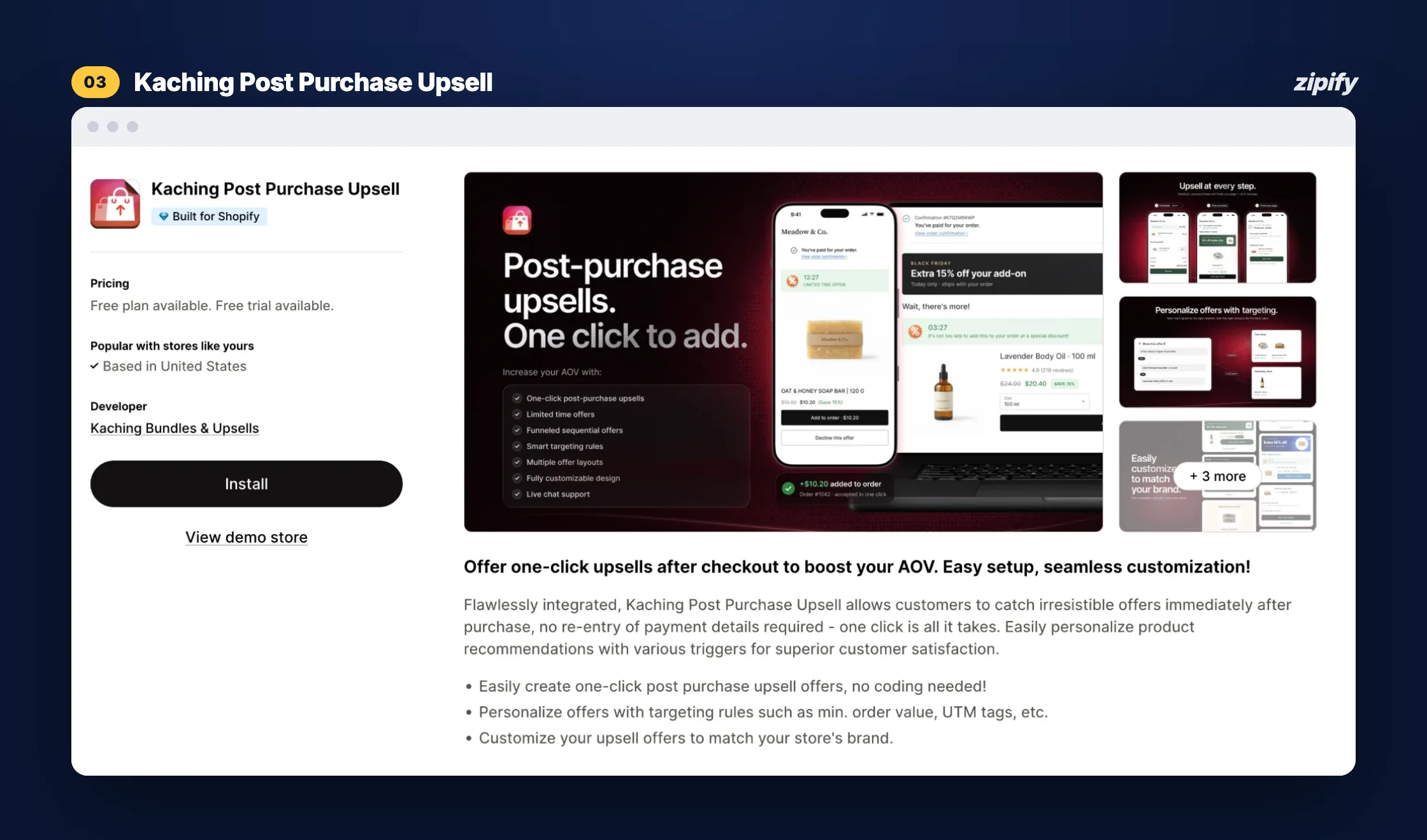
Every Kaching Post Purchase tier has the same feature list: unlimited funnels, upsell and downsell funnels, advanced segmentation, detailed analytics and customization options. The tier you pay for depends only on your order count, not on features, whatever some directories say.
The app shows offers in three places:
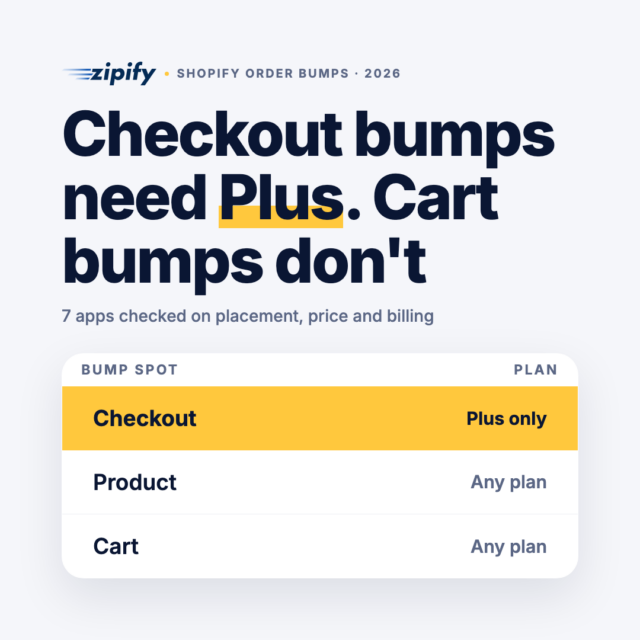
- Checkout, before the customer pays. Kaching’s funnels guide says this works on Shopify Plus stores only, the same Shopify rule OneClickUpsell and every other upsell app follow.
- Post-purchase page, right after payment. An accepted offer joins the same order, with no card details entered again.
- Thank-you page, on the order confirmation. Kaching’s guide notes that an accepted offer here creates a separate order. (More on how thank-you page upsells work.)
Every tier also gets A/B testing, countdown timers, bundle and subscription offers.
What’s not included: a cart drawer, cart upsells and product page offers. Kaching sells those as separate apps (Kaching Cart and Kaching Bundles), each with its own subscription.
Where Does The Kaching Bill Jump?
The Kaching bill jumps every time your monthly orders cross a tier line, and some jumps are steep. Crossing 200 orders raises the bill by 150%, from $7.99 to $19.99. Crossing 2,000 adds $40 a month. Between lines, your cost per order falls with every sale.
Scroll sideways for more →
| Line you cross (orders a month) | Bill before | Bill after | Increase |
|---|---|---|---|
| 100 | $4.99 | $7.99 | up $3.00 (60%) |
| 200 | $7.99 | $19.99 | up $12.00 (150%) |
| 500 | $19.99 | $36.99 | up $17.00 (85%) |
| 1,000 | $36.99 | $49.99 | up $13.00 (35%) |
| 2,000 | $49.99 | $89.99 | up $40.00 (80%) |
| 5,000 | $89.99 | $139.99 | up $50.00 (56%) |
| 10,000 | $139.99 | Not published | Ask Kaching |
| 20,000 | $139.99 (last published tier) | $249.99 | up $110.00 (79%) |
Calculated from Kaching’s published tiers on Kaching’s Post-purchase pricing page, checked November 18, 2026.
Then there’s the gap at 10,000. Kaching’s price list goes from “Up to 9,999 orders” straight to “20,000+ orders”, and the page says “Show all 8 plans”, so no tier is hidden. Kaching Cart, by contrast, has a “10,000+ orders” tier. It may be a typo, or 10,000 to 19,999 orders may fall under $249.99. If you’re near 10,000 orders, get the price from Kaching in writing.
A quick example. A store averaging 1,900 orders pays $49.99. If Black Friday pushes one month to 2,600 orders, that month falls in the $89.99 tier. Some order-billed apps add a fee per order instead, which is easier to predict but rises with every sale (how AfterSell’s per-order fees compare).
How Do You Work Out Your Own Kaching Bill?
You can work out your Kaching bill in a few minutes with your order count. The price list does the rest.
- Count your orders for the last 30 days. In your Shopify admin, filter the orders list by date range and note the total.
- Find your tier in the price table. 1,450 orders a month means $49.99.
- Check your busiest 30 days, usually late November. If that number crosses a tier line, plan for the higher bill that month.
- Ask Kaching which orders count. Its pages name the tiers by “monthly orders” but don’t say whether that’s every store order or only orders that could see an offer.
- Note the orders that can’t see a one-click offer. Kaching’s help page on payment methods and post-purchase offers says the offer doesn’t show for Apple Pay, Google Pay and Amazon Pay, installment services like Klarna, Afterpay and Shop Pay Installments, bank transfers, gift-card-only orders and cash on delivery.
That last step is about value, not price. Those payment types aren’t niche: Worldpay’s 2025 Global Payments Report puts digital wallets at 53% of global ecommerce spend in 2024 (a figure that also counts Shop Pay and PayPal, which do show the offer) and online buy now, pay later spending at $342 billion. If many of your orders go through express wallets or buy now, pay later, fewer customers see the post-purchase offer you pay for. Thank-you page offers can still reach them.
Which Billing Rules Change What You Pay?
Three billing rules move what Kaching Post Purchase Upsell costs you beyond the price table: how the trial ends, who handles downgrades and what actually stops the charges. All three come from Kaching’s help center, checked November 18, 2026.
The trial ends on its own
The Post Purchase listing and pricing page both say 14-day free trial, while Kaching’s general billing articles mention a 7-day trial (the length its Bundles app uses). Either way, the paid plan starts automatically when the trial ends unless you cancel. Uninstalling and reinstalling won’t hand you a fresh trial: Shopify’s developer docs explain that used trial days are tracked per store to stop exactly that.
Kaching’s site also shows “Up to 40% off every Kaching app” for Black Friday 2026. Ask whether it covers Post Purchase, and for how long.
Downgrades are your job
Kaching’s refund policy says plan downgrades are “fully controlled by merchants” and that its team can’t downgrade a plan for you. It also won’t refund the difference if you stayed on a higher tier you could have left. So after a peak month, check your tier yourself. A downgrade mid-cycle earns app credits for the remaining days, not cash.
Turning it off isn’t the same as cancelling
Deactivating offers doesn’t stop billing. Only cancelling in the app’s settings or uninstalling does, and the current cycle may still be charged. A few more rules from Kaching’s billing articles:
- Reinstalling creates a new subscription and a new billing cycle.
- If you switch your store to Shopify’s Pause and Build plan, your Kaching subscription isn’t paused. Shopify’s own help page on pausing your store confirms that apps stay active and keep billing.
- A refund may be possible if you uninstall within 5 days of a new cycle starting. Shopify notes that app charges are set by the app developer, so refund requests go to Kaching, not Shopify.
What Does A Full Kaching Upsell Setup Cost?
A full Kaching setup costs more than the Post Purchase price, because each placement is its own app. Cart offers need Kaching Cart (also billed by monthly orders), and bundle deals need Kaching Bundles, which is billed on the extra revenue your bundles bring in. At 1,500 orders a month, the three apps together cost $139.97 a month.
Scroll sideways for more →
| App | What sets the price | Price at 1,500 orders |
|---|---|---|
| Kaching Post Purchase Upsell | Monthly orders | $49.99 |
| Kaching Cart | Monthly orders | $59.99 |
| Kaching Bundles | Extra bundle revenue, assumed at $1,001 to $5,000 | $29.99 |
| Total | $139.97 |
Source: Kaching’s Post-purchase, Cart and Bundles pricing pages, checked November 18, 2026. The Bundles line assumes $1,001 to $5,000 a month in extra bundle revenue.
Post Purchase plus Cart alone comes to $109.98 a month. That’s the number to beat if you want offers both before and after checkout. Zipify’s list of cheap upsell apps ranked by what you pay shows how other apps price the same mix.
Is An App Billed On Upsell Revenue Cheaper Than Kaching?
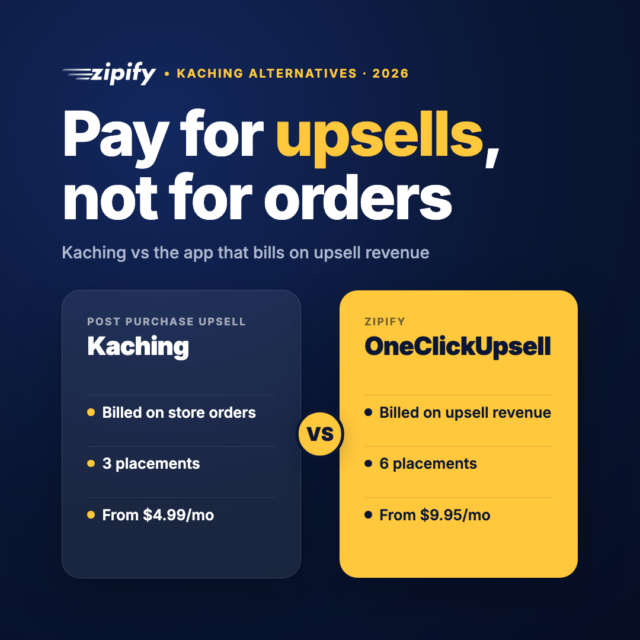
An app billed on upsell revenue is cheaper than Kaching when your upsells earn less than your order count suggests, or when you want cart and post-purchase offers in one plan. It costs more when you only run post-purchase offers and they bring in a lot. The comparison below uses the same 1,500-order store.
OneClickUpsell (OCU) by Zipify bills on the upsell revenue its offers bring in, never on your order volume. One plan covers the product page, the cart drawer, checkout (Shopify Plus), post-purchase and thank-you page offers. Prices move in steps from $9.95 to a $999 cap (how OCU’s revenue tiers work):
- up to $500 a month in upsell revenue: $9.95 to $25
- $500 to $1,000: $49
- $1,000 to $2,500: $99
- $2,500 to $5,000: $149
So for the 1,500-order store, OCU costs less than Kaching Post Purchase plus Cart, at $109.98, until its upsells pass $2,500 a month. Above that, Kaching’s two apps cost less. And if you only want post-purchase offers, Kaching’s $49.99 tier beats OCU once your upsells earn more than $1,000 a month.
OCU runs on 15,000+ Shopify stores, has tracked $1.5B+ in upsell revenue and holds 4.6 stars from 579 reviews on the Shopify App Store (as of November 18, 2026). Every paid plan starts with a 30-day free trial.
Pay for upsells on the revenue they bring in, not your order count: try OCU free for 30 days
Is Kaching Upsell Pricing Worth It For Your Store?
Kaching upsell pricing works best for a store that wants post-purchase offers only and sits comfortably inside a tier. At 1,500 orders, $49.99 a month is about 3.3 cents per order, and the price stays put if your upsells take off.
It gets less attractive when:
- you sit just above a tier line, like 200, 2,000 or 5,000 orders, and pay the jump for a few extra sales
- you want cart offers too, which adds a second app and a second bill
- you’re heading for 10,000 orders, where Kaching hasn’t published a price
My test: divide your Kaching bill by last month’s upsell revenue from the app. A small share means the flat tier is doing its job. A big one means it’s time to price a revenue-billed app next to it.
Frequently Asked Questions
Does Kaching Post Purchase Upsell have a free plan?
Only for development stores. Live stores pay from $4.99 a month for up to 99 orders, after a 14-day free trial. The “Free plan available” note on the App Store listing refers to that development-store plan. If you don’t cancel before the trial ends, the paid tier for your order count starts automatically, so set a reminder on day 12 or 13.
Do I need Shopify Plus to use Kaching Post Purchase Upsell?
No. Post-purchase offers and thank-you page offers work on any Shopify plan. Kaching’s checkout offers, the ones shown before the customer pays, work on Shopify Plus stores only, according to Kaching’s own funnels guide. That’s the same rule every upsell app follows for in-checkout offers, so it isn’t a Kaching-specific limit.
Does Kaching charge per transaction or per order?
Neither. Kaching upsell pricing uses flat monthly tiers set by your order count: $4.99 up to 99 orders, $49.99 up to 1,999, $249.99 at 20,000+. You don’t pay a fee per order or per accepted upsell. The claim of $0.99 per transaction on a rival app’s page doesn’t match Kaching’s own pricing page, checked November 18, 2026.
Is Kaching Post Purchase Upsell priced the same as Kaching Bundles?
No. Post Purchase Upsell is priced by monthly orders, from $4.99 to $249.99. Kaching Bundles is priced by the extra revenue your bundles bring in, from $14.99 a month (up to $1,000) to $299 (over $50,000), with a yearly option. Kaching Cart is priced by orders again, from $9.99 to $199.99. Each app is a separate subscription.