
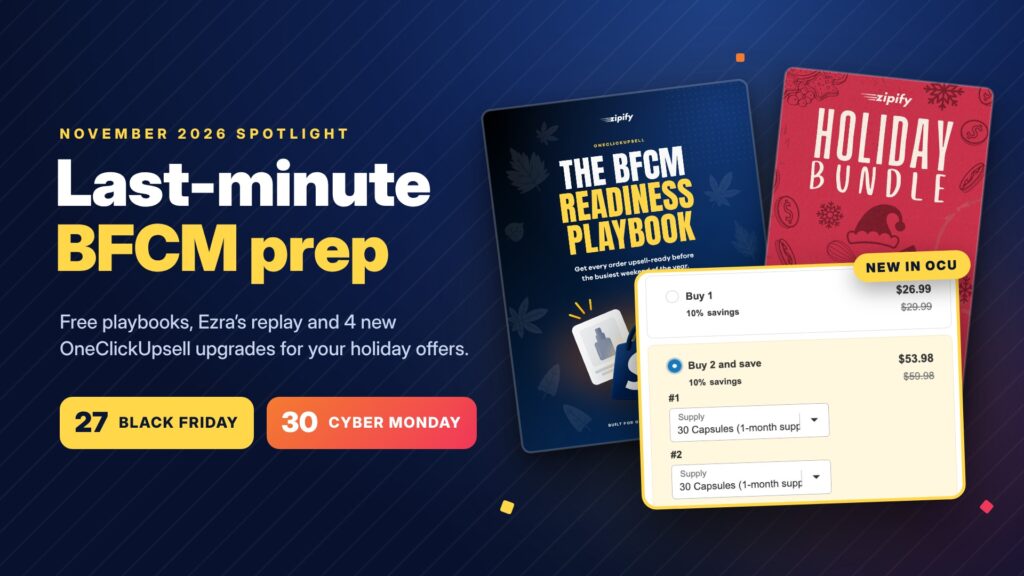
Black Friday is almost here! Don’t worry if your sale isn’t fully ready yet, there’s still time to upgrade your funnel and make this your biggest BFCM yet.
This month, we pulled together the latest BFCM forecasts, free resources, and new OneClickUpsell updates to help you sell more during the busiest week of the year.
Let’s dive in 👇
BFCM 2026 by the Numbers
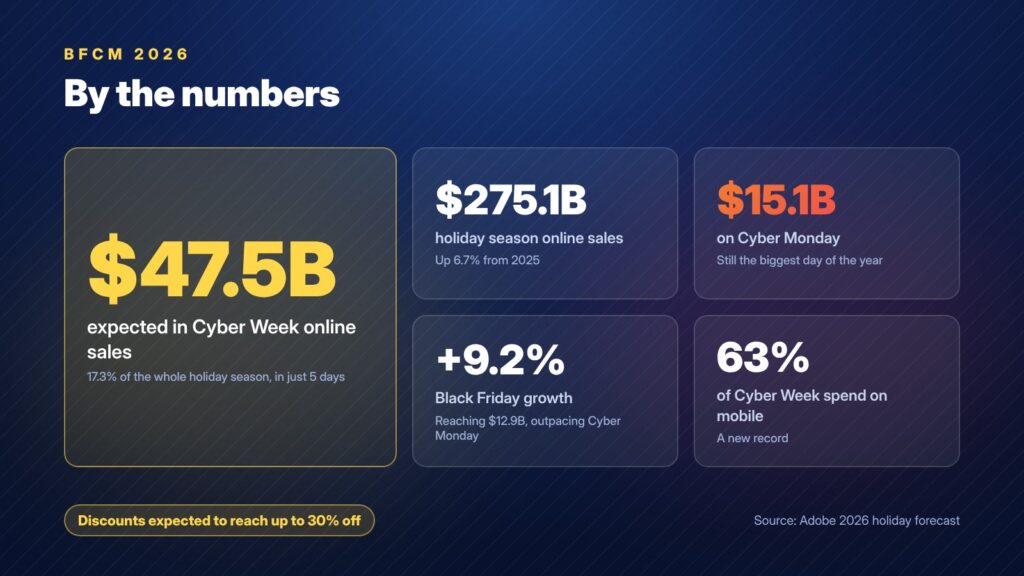
Adobe’s 2026 holiday forecast points to a record season, and a big share of it lands in a single week:
- Shoppers are expected to spend $275.1 billion online this holiday season, up 6.7% from last year.
- Cyber Week (Thanksgiving through Cyber Monday) is forecast to bring in $47.5 billion online, or 17.3% of the season’s spend.
- Cyber Monday (Nov 30) is expected to stay the biggest day at $15.1 billion. Black Friday is growing faster, up 9.2% to $12.9 billion.
- A record 63% of Cyber Week spend is expected to come from mobile.
- Discounts are expected to reach up to 30% off during Cyber Week.
Shoppers are watching their budgets, too. Deloitte found that 38% of shoppers are “holiday value seekers” who lean on promotions and rewards to stretch their spending (source).
What This Means for Your Store
When every store is discounting, a deeper discount isn’t your best lever. Getting more from each order is. Bundles, quantity breaks and upsells raise your AOV without cutting further into your margin.
Our own data backs this up. On Black Friday 2025, multi-product pre-checkout offers in OCU converted at 8.15%, compared to their usual 3% to 3.5%. And with most Cyber Week shoppers on their phones, it’s worth checking how your offers look on mobile before traffic hits.
Your Last-Minute BFCM Toolkit
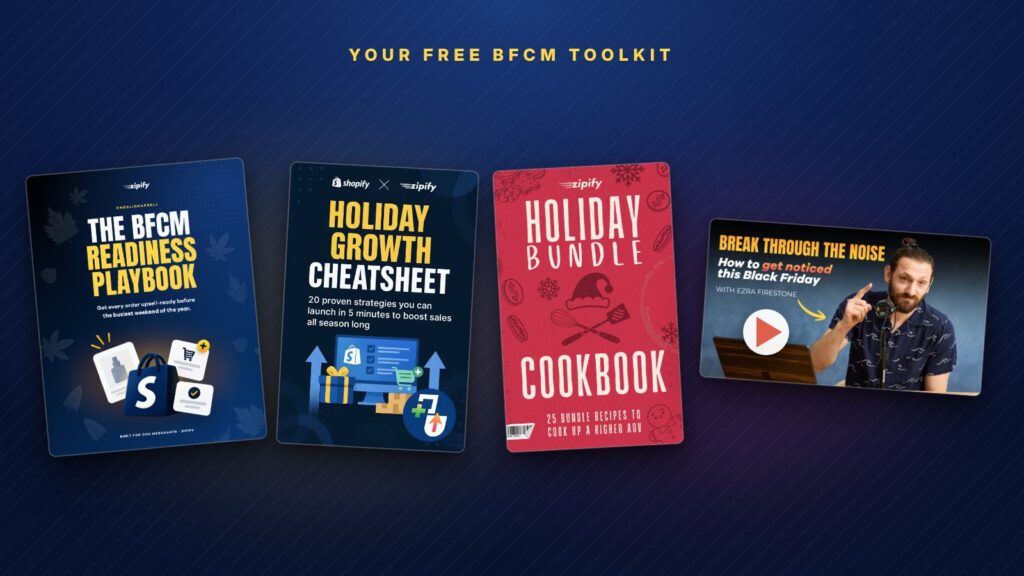
Everything below is free and lives on our BFCM hub.
BFCM Readiness Playbook
A step-by-step checklist to get every order upsell-ready. It covers all six upsell touchpoints, margin rules so your upsells beat your sitewide sale, and the one offer type that more than doubled its conversion rate last Black Friday.
BFCM 2026 Replay with Ezra Firestone
Ezra’s 90-minute masterclass on breaking through the BFCM noise. You’ll learn about:New ad channels like AppLovin and ChatGPT Ads How Meta’s Andromeda update makes your creative the targeting signalThe email, merchandising and AOV moves that turn traffic into revenueAnd you also get a free setup guide for running ChatGPT Ads.
Holiday Growth Cheatsheet
20 quick wins from our 9-figure Shopify brand, laid out week by week from now until New Year’s. Each one can be launched in minutes, with no extra ad spend.
Holiday Bundle Cookbook
25 bundle recipes for verticals like beauty, fashion, supplements and home goods. It includes a pricing calculator to protect your margins and a 24-hour launch plan, so you can still get a bundle live before Black Friday.
Quick Reads for BFCM Week
- Holiday Readiness: 8 Fixes Before Traffic Spikes: Pick three to five of these fixes and knock them out this week.
- How to Increase Average Order Value on Shopify: The Placement Stack: Where to put offers at every stage of the purchase, and how to size them.
- Why Aren’t My Shopify Upsells Performing?: The most common upsell problems and how to fix them before peak traffic.
Let AI Do the Setup for You
Short on time this week? Zipify AI can take setup off your plate.
Build Offers and Funnels with Shopify Sidekick
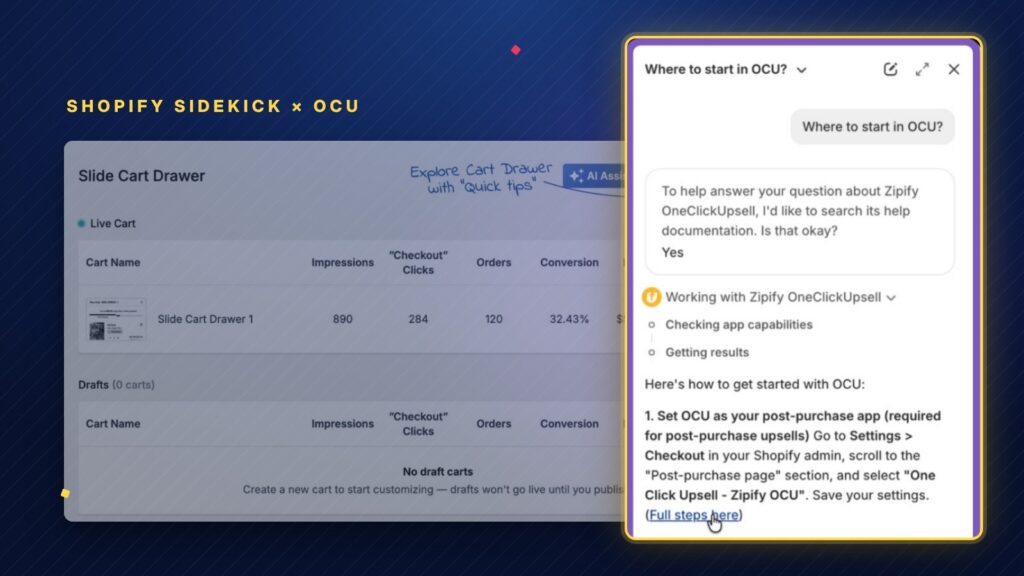
OneClickUpsell is one of the first upsell apps integrated with Shopify Sidekick, and now Sidekick can build for you. Just ask in the chat, and Sidekick can:
- Create an offer in OCU using any offer type
- Create a full funnel without leaving the conversation
- Name the funnel and choose any trigger condition
- Set an upsell discount on the offer
You keep full control over the funnel name, trigger, offer type and discount. It’s a fast way to get a funnel live, especially if you’re new to upsells.
Let the AI Assistant Find Your Biggest Wins
The OCU AI Assistant reads your store data and ranks your funnels by projected revenue, so you know what to build first. Once you approve, it builds and publishes the funnel for you.
What’s New in OneClickUpsell
This month’s updates give your post-purchase and pre-purchase offers more flexibility, just in time for the holidays.
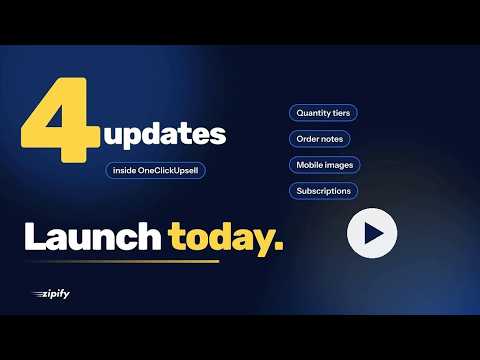
Quantity Tiers for Post-Purchase Offers
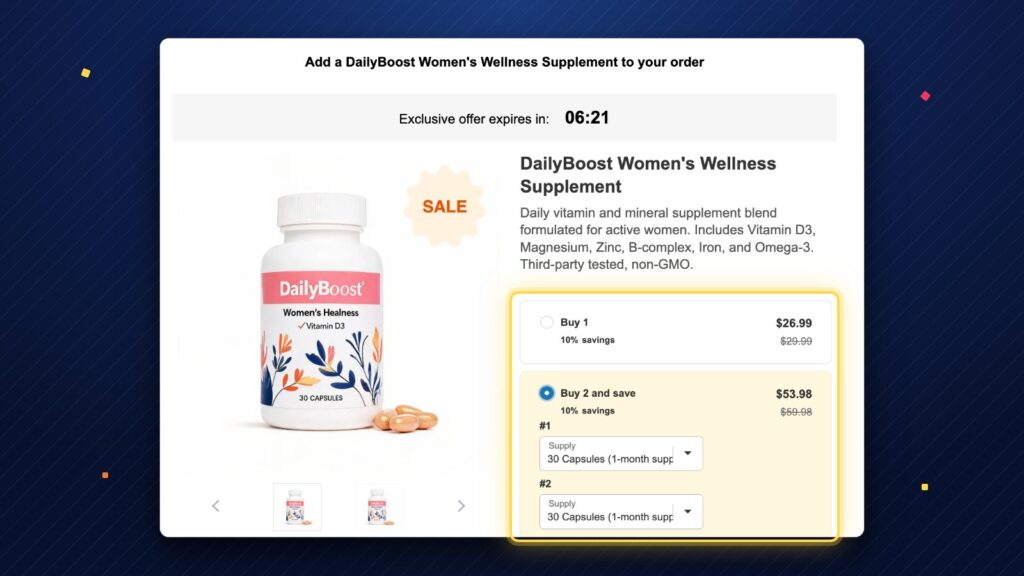
Now you can run “buy more, save more” offers after checkout. Turn on Enable Quantity Tiers in the post-purchase offer builder and add up to 3 tiers, each with its own quantity and discount value. The discount type is shared across tiers. This setting replaces Predefined Quantity.
Customers pick a tier with a radio button, and each option shows the discounted price next to the original price, so the savings are clear up front. The first tier is pre-selected. You can edit the tier text right in the preview (the default is “Buy {quantity} and save”) and set a background color for the tiers. If the product has variants, a variant picker shows under the selected tier, with a dropdown for each unit.
Customer Order Notes on Post-Purchase Offers
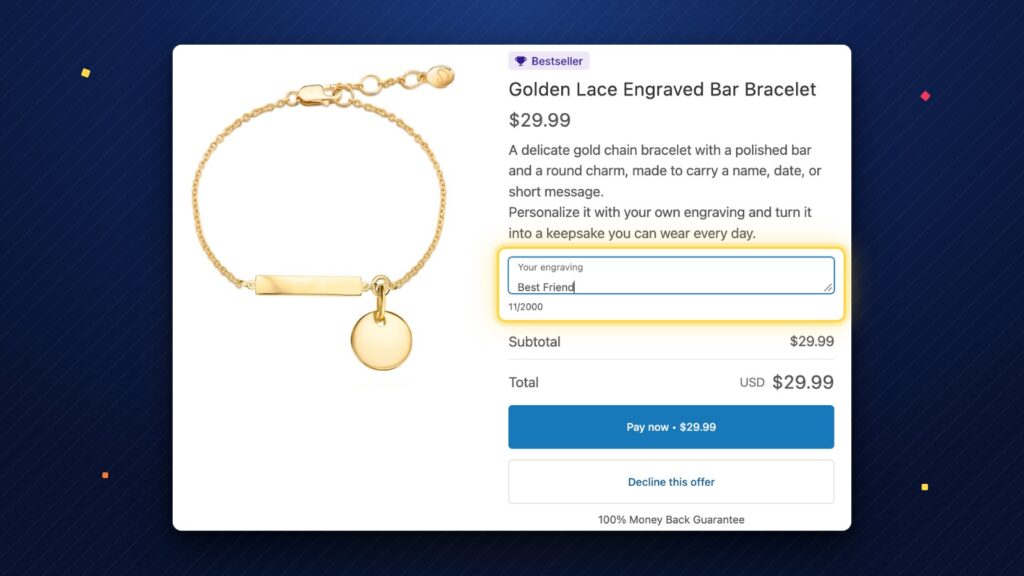
Personalized products can now be post-purchase offers, too. Add an Additional Notes field to your post-purchase offer, and customers can type a personalization, like an engraving, right on the offer page.
The note goes straight to the order notes and is linked to the offer product, so your fulfillment team knows exactly which item to customize. There’s no need to follow up with customers by email, which is a big help during gifting season.
You can set a custom label (like “Your engraving”), choose a character limit from 1 to 2000, and make the field required if you need it. Customers see a live character counter as they type. You’ll find the setting in the offer editor, in the product settings next to Variants.
Mobile Images for Post-Purchase Offers
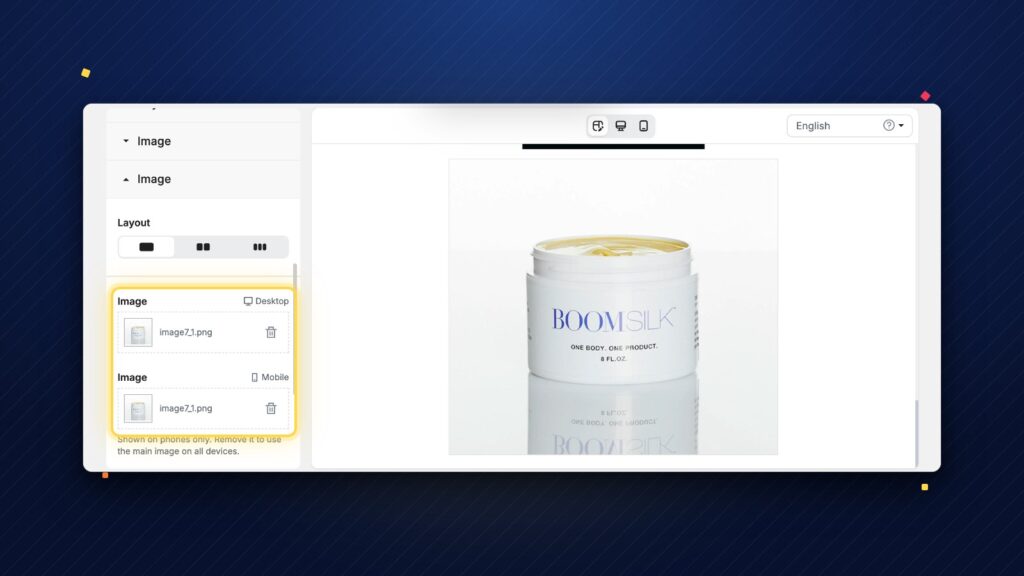
Most post-purchase traffic comes from phones, where wide images and text on images can get cropped or hard to read. Now you can add a separate mobile image to your single-product post-purchase offers.
After you upload your main image, click + Add Mobile Image and choose a second image. Phones show the mobile image, while tablets and desktops keep the main one. It works for the product hero (custom image), the Image content block and the Text and Image content block. It’s optional, so offers without a mobile image work exactly as before.
Hide Multi-Product Pre-Purchase Offers from Subscription Carts
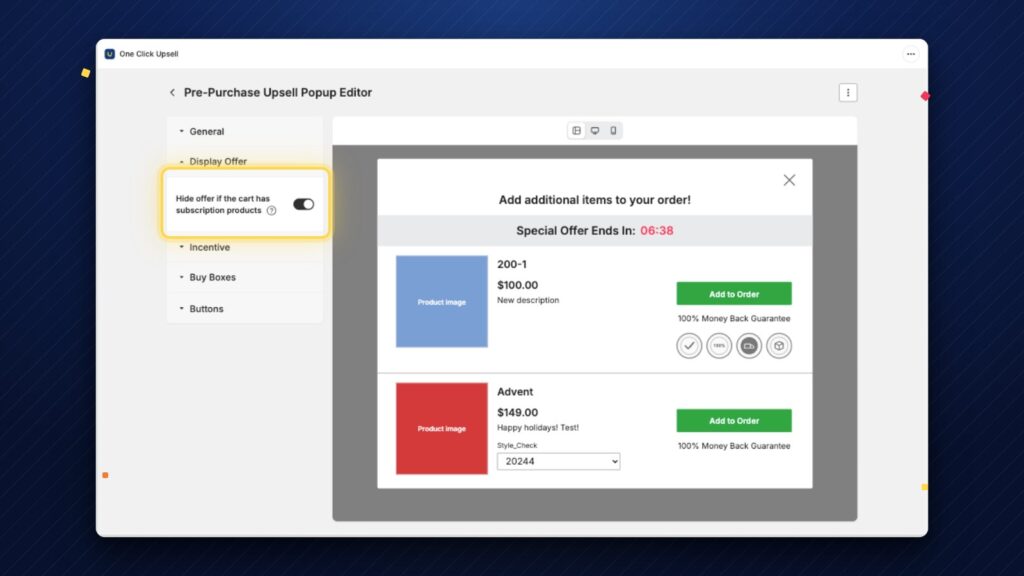
If you sell subscriptions, you can now use multi-product pre-purchase offers without showing them to subscribers. A new Display Offer tab in the multi-product pre-purchase popup editor includes a Hide offer if the cart has subscription products toggle.
It works just like the setting in single-product pre-purchase offers, so both offer types now behave the same way. It’s off by default, so your existing offers won’t change.
Get Ready for Your Biggest BFCM Yet
Every one of these updates is available in your account now. Log in to OneClickUpsell to try them before Black Friday.
Not using OCU yet? Start your 30-day free trial and get your first funnel live before the holiday rush.
Thanks for reading, and happy selling!