
Shopify’s AI assistant now builds your upsell funnels for you. No other upsell app can say that.
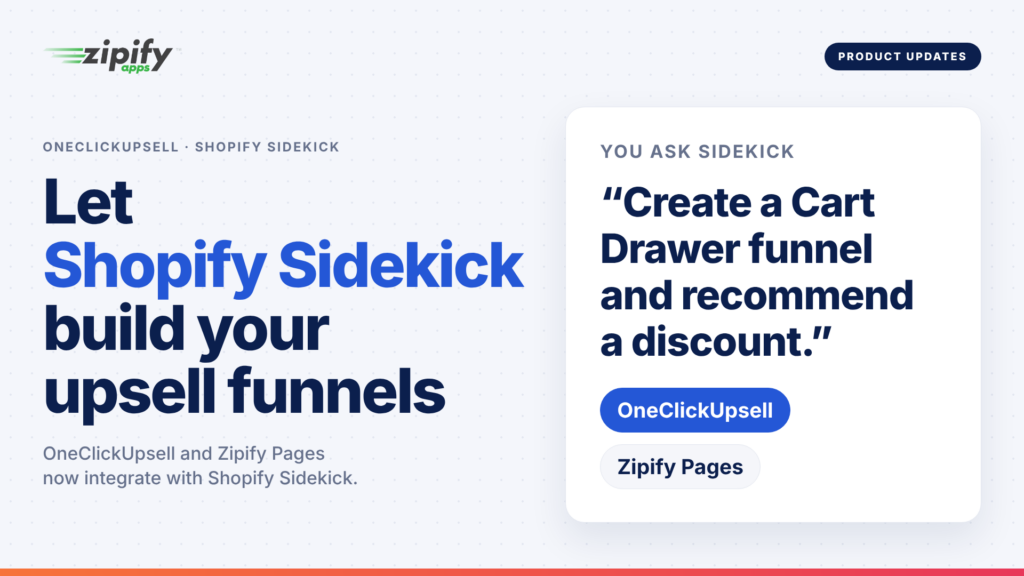
One Click Upsell is one of the first upsell apps with a Shopify Sidekick integration. Sidekick is Shopify’s built-in AI assistant, and through a Sidekick app extension it now has access to OCU’s entire help center and can build funnels for you right from the chat.
Open Sidekick from the top-right corner of your Shopify admin, tell it what funnel you want, and it sets the whole thing up without you leaving the page you’re on.
You can ask strategy questions, too. Sidekick knows how OCU works and gives surprisingly good upsell advice.
Build an Upsell Funnel with Shopify Sidekick
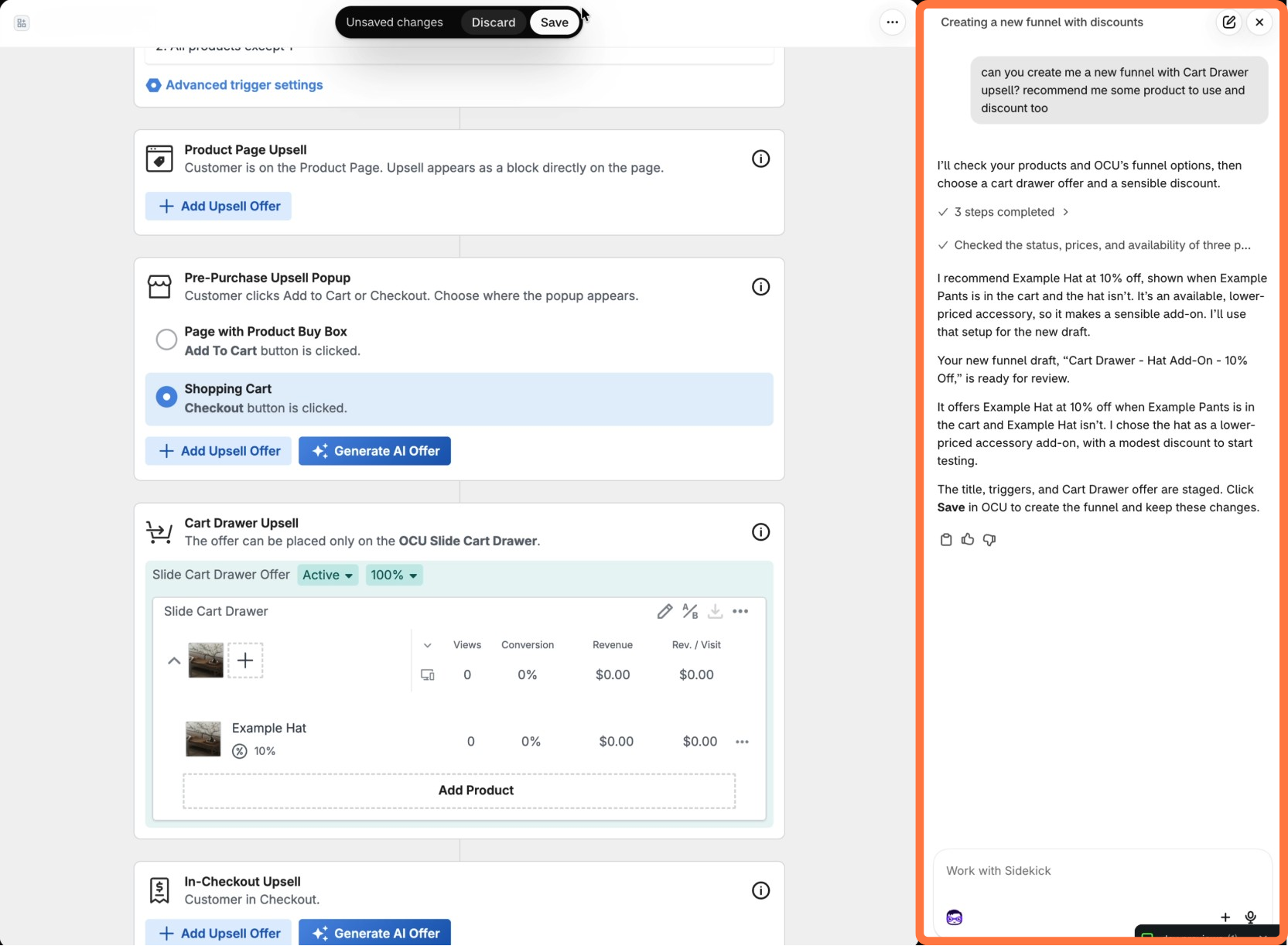
Tell Sidekick what you want in plain English, and it does it for you. We asked Sidekick to create a new funnel with a Cart Drawer upsell and recommend a product and discount, and Sidekick built it.
Since Sidekick already knows your store’s products and sales, it can pick the following for you:
- the trigger product
- the upsell product
- the funnel name
- the discount
Or you can tell it exactly what you want and it will build it for you.
Sidekick never publishes anything without your approval, and once it’s live you can edit it from the OCU builder just like any other offer.
What Shopify Sidekick Knows About OCU
Sidekick is connected to OCU’s full help library, so anything we’ve documented, it can explain.
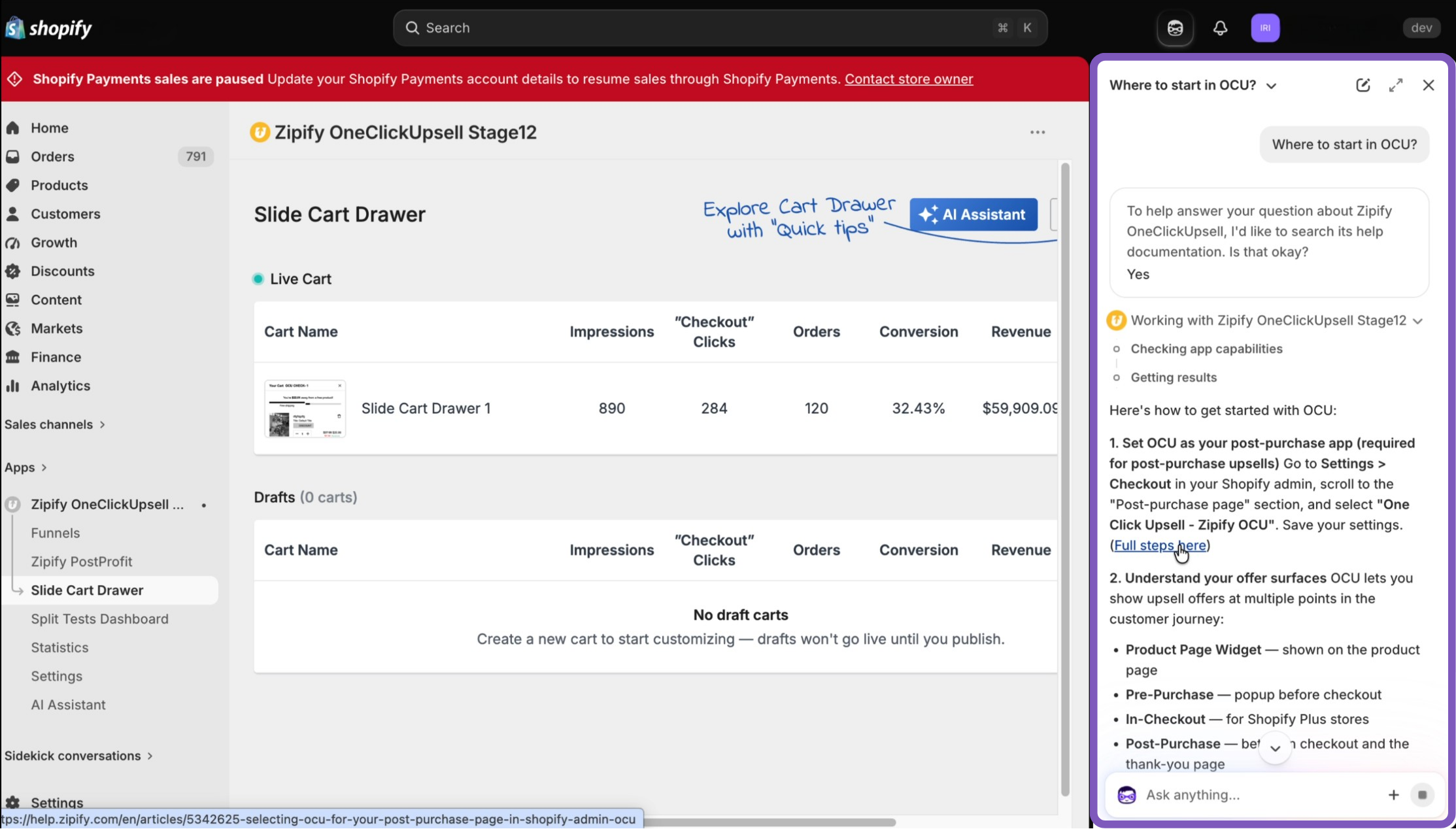
The first time you ask, Sidekick checks that it’s okay to pull from OCU’s content (hit “Yes, and don’t ask again”), then ask it questions like:
- “Where should I start in OCU?” Sidekick walks you through setting OCU as your post-purchase app and all its placements.
- “What’s the difference between post-purchase and pre-purchase?” You get a side-by-side breakdown, including which one to launch first and why.
- “How do I add the Slide Cart Drawer to my store?” It walks you through turning on OCU’s cart drawer in place of your theme’s default cart, then shows you how to add upsell offers and a reward bar to it.
Ask It Strategy Questions, Too
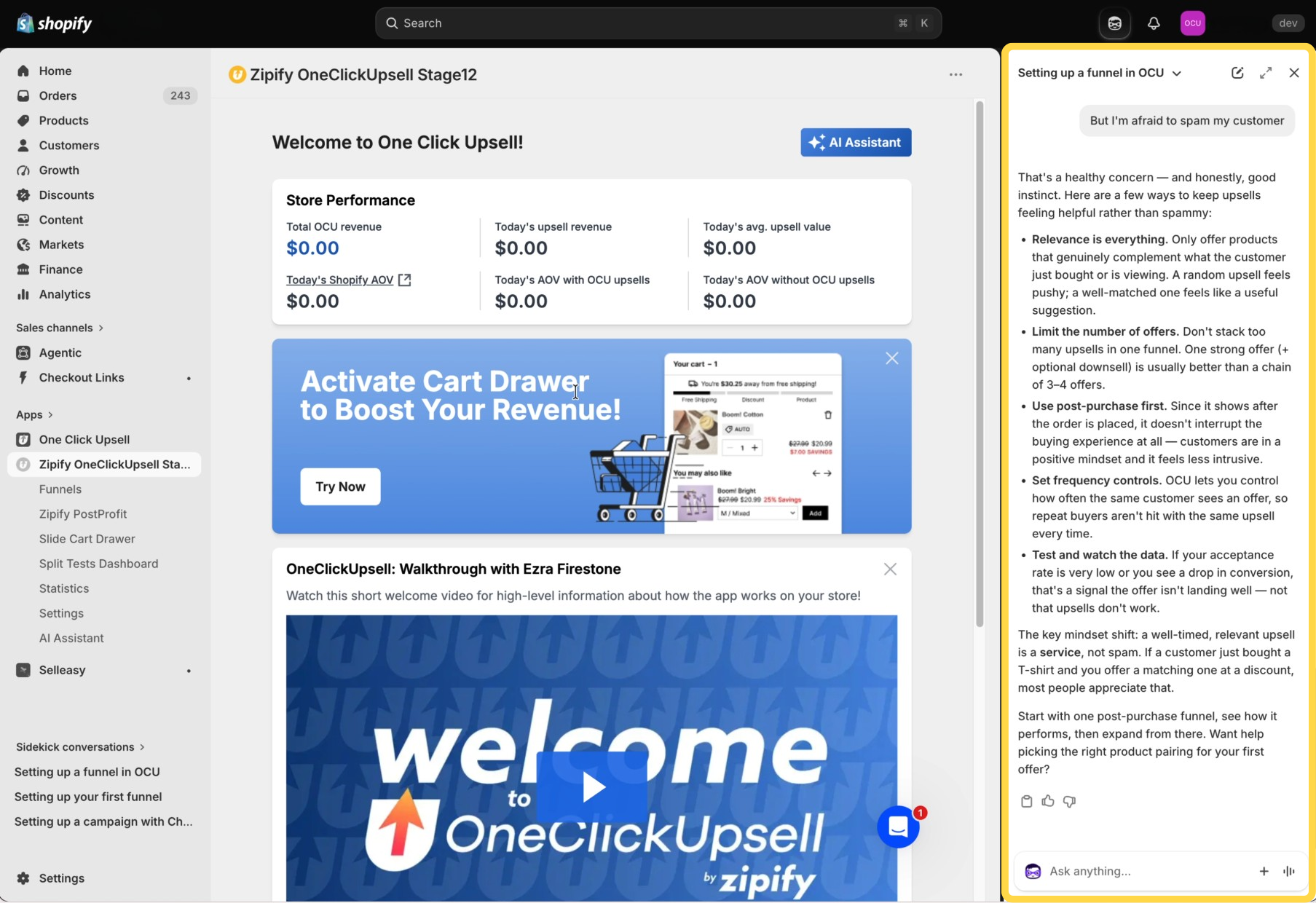
We also tested Sidekick by telling it, “But I’m afraid to spam my customer.” Instead of a link to an article, it came back with a point of view:
- “Only offer products that complement what the customer just bought. A random upsell feels pushy; a matched one feels like a recommendation.”
- “Start with post-purchase. The order is already placed, so the offer never interrupts checkout.”
- “If acceptance rate is low, the offer is wrong, not the strategy.”
That’s the same advice our team gives on strategy calls, and it’s now available in the Shopify admin on demand. Sidekick reads like an upsell advisor who happens to have the OCU manual memorized.
Three Ways to Build Shopify Upsell Funnels With AI
Sidekick is now one of three ways to build OCU funnels with AI, and you can use whichever one you’re already sitting in.
- Shopify Sidekick builds funnels and offers right from your Shopify admin.
- OCU’s built-in AI Assistant reads your funnel performance, recommends what to build next, and builds it.
- Claude or ChatGPT can analyze performance and draft funnels once you connect OCU through the MCP connector.
If you want to dig into how your existing funnels are performing, that’s still the AI Assistant or the MCP connector. For now, Sidekick only reads your Shopify data and builds what you ask for.
And if you run Zipify Pages, it’s integrated with Sidekick too!
5 Prompts to Try in Shopify Sidekick Today
Open Sidekick (the purple icon in the top-right of your Shopify admin) and try one of these:
- “Suggest a post-purchase upsell for [category name] and recommend a discount.”
- “Add a product page offer to my [product name] with a 20% discount for Black Friday.”
- “What pre-purchase offer types does OCU have?”
- “Help me edit the offer in my slide cart drawer.”
- “How do I upsell a subscription with OCU?”
If you don’t have OCU yet, you can start your 30-day free trial and have Sidekick build your first funnel today. Try One Click Upsell for free here.