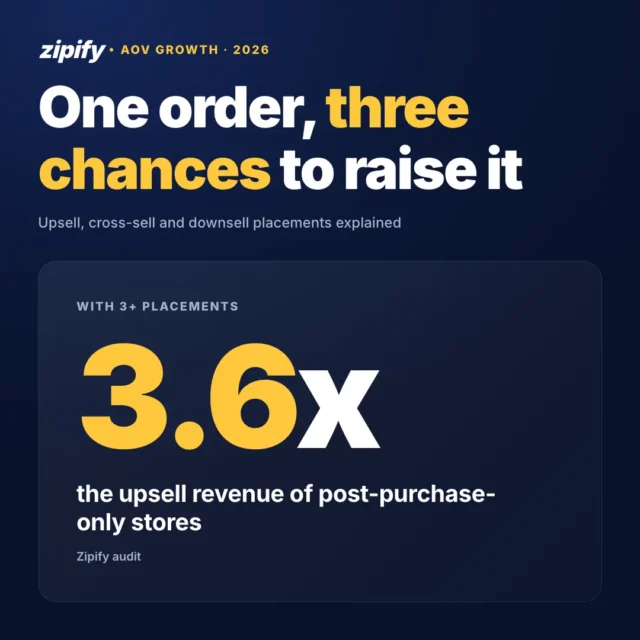

If you want to know how to increase average order value on Shopify, the short answer is to put a relevant offer at more than one stage of the purchase, start before checkout, size each offer from your median order and judge the result by revenue per visitor. Stage count matters more than any single tactic. In Zipify’s audit of $143M in upsell revenue, stores with offers at 3 or more placements earned 3.6x the upsell revenue of stores that only ran post-purchase offers.
I read the guides ranking for this question and asked four AI assistants the same thing. Every one listed tactics with equal weight, and none said which to do first. Below, I order them by where upsell revenue comes from, using data from OneClickUpsell (OCU), Zipify’s upsell app, which has tracked $1.5B+ in upsell revenue.
Key Takeaways
- AOV is total revenue divided by the number of orders over the same period. Set offer thresholds from your median order, not the average.
- Stores with offers at 3 or more stages of the purchase earned 3.6x the upsell revenue of stores with post-purchase offers only.
- Start before checkout: in the same audit, pre-purchase offers converted 57% better than post-purchase offers.
- A smaller discount often wins. In one merchant test, 15% off converted better than 20% off.
- Judge every change by revenue per visitor, because a lower conversion rate can still mean more money.
What Is Average Order Value On Shopify And How Do You Calculate It?
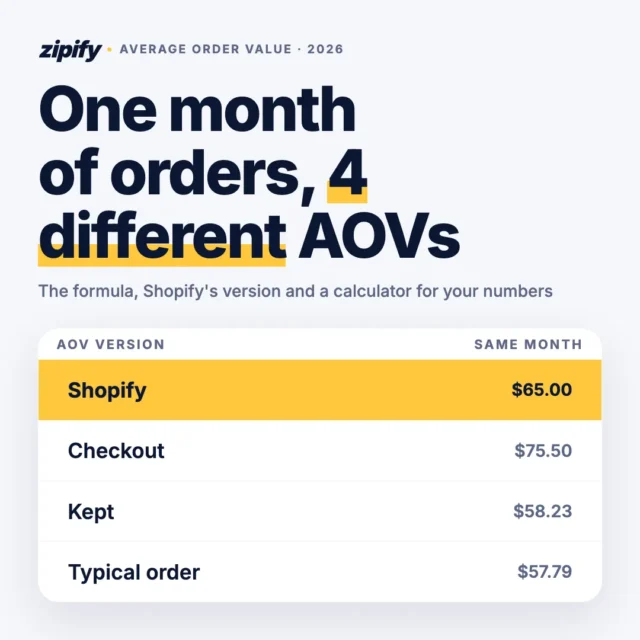
Average order value (AOV) is the average amount a customer spends per order. To calculate it, divide total revenue by the number of orders over the same period. A store with $30,000 in revenue from 500 orders has an AOV of $60.
Two details change what that number tells you. First, use the same revenue definition every time, ideally net of discounts and returns, or month-to-month comparisons drift. Shopify’s ready-made default reports give you the sales and order numbers to work from.
Second, an average gets pulled up by a handful of large orders. If ten customers spend $40 and one spends $600, your AOV is $91, but nobody actually spent $91. That’s why I use the median order (the middle value) to set thresholds later in this guide.
What’s a good average order value on Shopify?
A good AOV is one that’s higher than your own last 90 days. According to Littledata’s Shopify benchmarks (October 2026, 438 stores), the median Shopify store has an AOV of $111. The bottom 20% sit at $59 and the top 20% at $302.
That spread mostly reflects category and price point. A coffee brand and a furniture brand shouldn’t compare themselves with the same number. Your own segments are more useful: Shopify’s customer reports group buyers by recency, frequency and spend, so you can see which group already spends the most and build offers around what they buy.
Is a higher AOV always better?
A higher AOV is only better when revenue per visitor and margin per order hold up. The math is attractive on its face: lift a $60 AOV to $66 across 1,000 orders a month and you take in $6,000 more from the same ad spend. That’s the core argument for why AOV beats buying more traffic.
But a 10% higher AOV can still lose money. If you got there with a 25% discount, margin per order may fall. If the offer scared off buyers and conversion dropped from 3% to 2.5%, you’d need about a 20% AOV lift just to break even. Track AOV next to revenue per visitor and gross profit per order, and a higher number means what you think it means.
What Actually Moves Average Order Value?
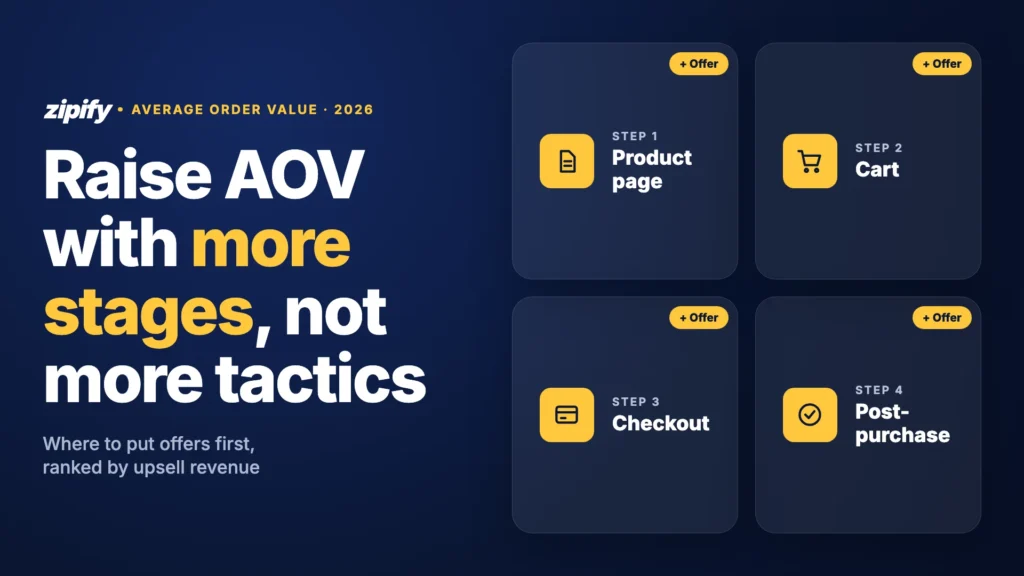
Three things move AOV: how many stages of the purchase show a shopper a relevant offer, which type of offer sits at each stage and how deep the discount is. Stage count has the biggest effect. Zipify’s audit of $143M in upsell revenue found that stores with offers at 2 or more placements earned 2.5x the upsell revenue of stores running post-purchase offers only, and stores with 3 or more earned 3.6x.
Placements before and outside post-purchase also carry real weight. They brought in 45.3% of the audited upsell revenue, and pre-purchase offers converted 57% better than post-purchase ones. A shopper on a product page is still deciding what to buy, so a bundle or a bigger pack fits into that decision instead of interrupting it.
I call this the AOV Placement Stack: five stages, each with an offer type that suits it.
Scroll sideways for more →
| Stage | Offer that fits | Why it lifts AOV | Where to start |
|---|---|---|---|
| Product page | Bundle, quantity break, upgrade | The shopper is still choosing, so a bigger option feels like part of the decision | Your best-seller’s page |
| Cart drawer | Complementary add-on, free-shipping or gift bar | A small, cheaper item next to the cart total is an easy yes | 1–3 add-ons under the main item’s price |
| Checkout | Small, low-decision add-ons; in-checkout upsells on Shopify Plus | Protection, samples or gift wrap need no thought | One add-on, not a carousel |
| Post-purchase | One-click same item or refill | Payment is already done, so accepting takes one click | The item they just bought |
| Thank-you page | Next-order offer, loyalty or subscription | It plants the next purchase while the brand is top of mind | A discount on their next order |
The AOV Placement Stack: one offer type per stage of the purchase, from product page to thank-you page.
The data points one way: start before checkout and add stages, because each stage catches a different decision. Post-purchase offers work best as the last layer of the stack, not the only one.
How Do You Increase Average Order Value On Shopify, Step By Step?
Here’s how to increase average order value on Shopify in stack order, biggest effect first. Loyalty programs and subscriptions lift the next order more than this one, so they belong after these six steps.
1. Set a free-shipping or gift threshold from your median order
A free-shipping threshold works when a typical order falls a little short of it. Set it at your median order value plus the price of one typical add-on, rounded to a clean number.
Here’s a worked example. Say your median order is $52 and your most-bought add-on costs $14. That puts the threshold at $66, so round it to $65. A shopper at $52 needs one item to qualify, which feels achievable. A threshold at $100 would ask them for two or three more items, and most won’t bother.
In Shopify, set it as a free shipping discount with a minimum purchase. Show the gap in the cart with a progress bar (“You’re $13 away from free shipping”). After 2–4 weeks, check how many orders land just above the threshold and how many stall just below it. Lots of orders at $60–64 mean the threshold is right but the cart needs a better-priced add-on.
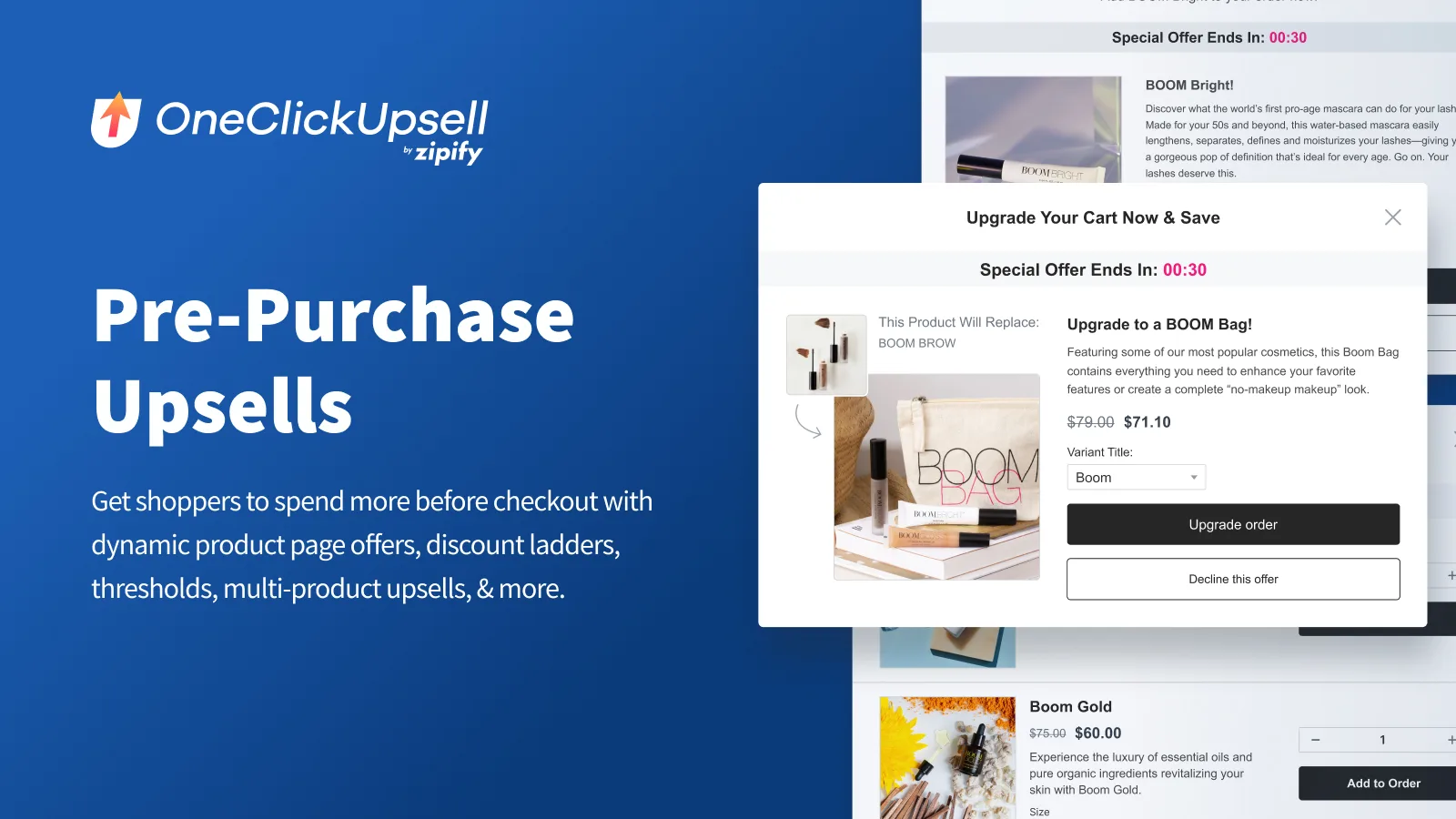
2. Put a bundle or quantity offer on the product page
Use a bundle when items complete each other (a cleanser with a moisturizer). Use a quantity break when the product is a consumable or a repeat buy (three bags of coffee for the price of two and a half). Both work because they reach the shopper while they’re still choosing.
You can start with native Shopify Bundles, and Shopify itself lists higher average order value as a reason to sell bundles. For the setup, see this product-page upsell setup guide.
The results can be big. Triquetra Health added $211,885 in revenue in under 6 months with OCU, and 65% of it came from pre-purchase “Upgrade to Bundle” offers. That matches the audit: offers made before checkout convert better because they fit into a decision the shopper is already making.
3. Add relevant offers in the cart drawer
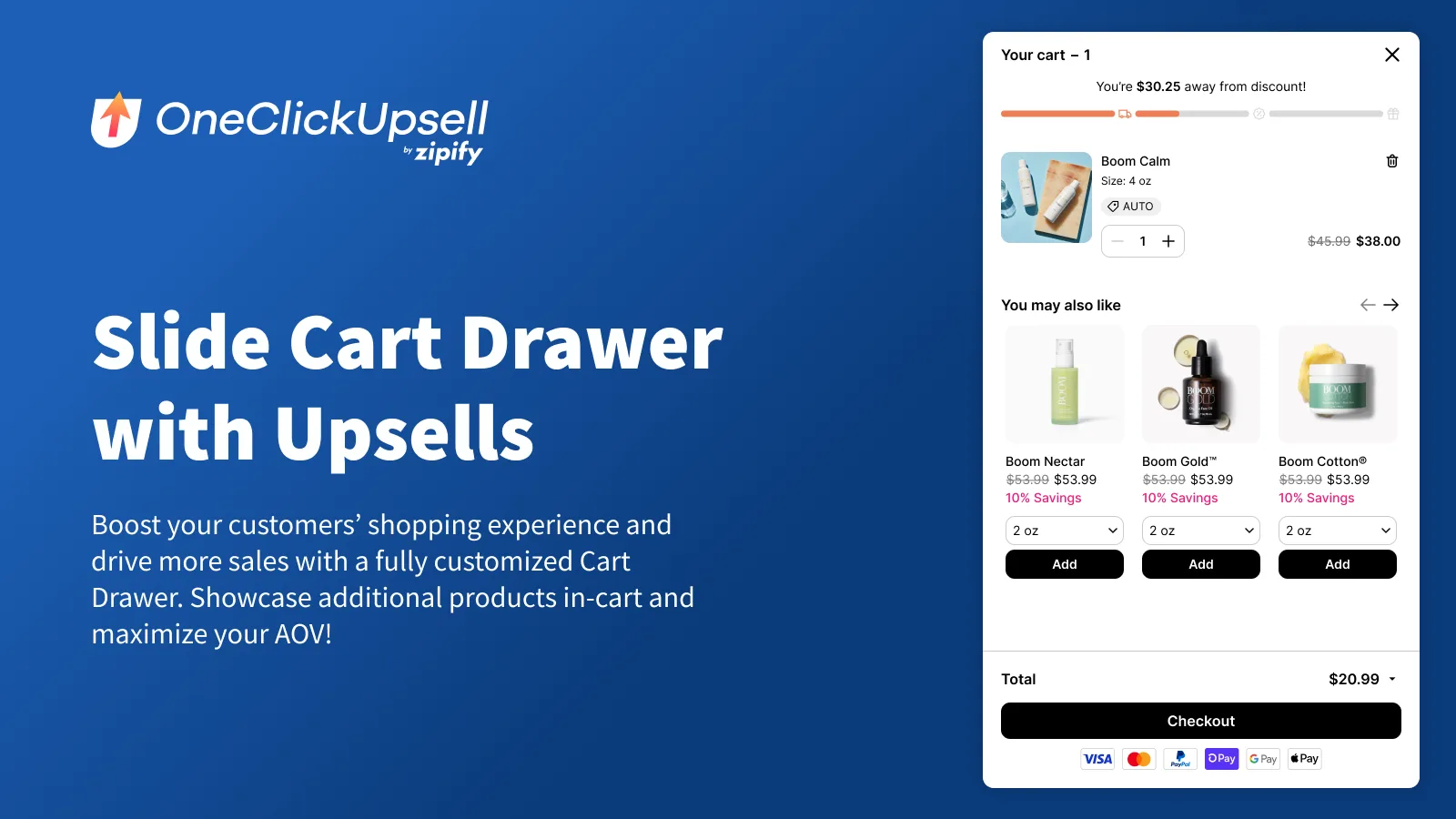
The cart drawer is where a shopper sees their total, so it’s the natural spot for a cheaper, complementary item. Keep it to 1–3 offers, price them below the main item and pair them with the threshold bar from step 1. The add-on then closes the gap to free shipping.
For a free start, Shopify’s Buy X Get Y discounts can make a gift free once the cart passes a minimum spend, though the shopper still has to add the gift themselves. A dedicated cart drawer combines the bar, the offers and targeting in one place. Zipify’s Slide Cart Drawer results show it helped merchants grow AOV by 20%. One of them, pet wellness brand Gussy’s Gut, raised AOV by 16.47% in its first 30 days with it.
4. Use checkout for small, low-decision add-ons
Checkout is the wrong place to ask a shopper to think. Offer things that need no decision: shipping protection, gift wrap, a sample or an extended warranty. In-checkout upsells run on Shopify Plus stores, so on other plans these add-ons belong in the cart drawer.
Small add-ons add up. A $4 gift-wrap option taken on 20% of orders adds $0.80 to your AOV with almost no effect on conversion.
5. Close with a one-click post-purchase offer
A post-purchase upsell is an offer shown after payment and before the thank-you page, which the customer accepts in one click without re-entering card details. Since the first sale is already done, it can’t cost you that order.
The best-performing post-purchase offer is usually the simplest: the same item they just bought, or a refill. In Cheech & Chong’s test, a dynamic “Same Item as Bought” offer had almost 2x the conversion of a long-form content offer and brought in about 83% more total revenue. For some stores, this stage carries a big share of revenue. At Hard Hat Watches, post-purchase upsells account for 33% of total revenue.
6. Start with a shallower discount than you think
Deeper discounts don’t reliably convert better, and they always cost margin. Cheech & Chong tested 15% off against 20% off on the same offer. The 15% version converted at 17.95% against 16.71% for 20% off, 7.4% better, with higher revenue per visit and a better margin.
Start upsell discounts at 10–15% and raise them only if a test shows a deeper cut earns more per visitor. A relevant offer usually matters more than a bigger number.
Why Do AOV Tactics Stop Working?
AOV tactics usually stall for one of four reasons. They’re judged on the wrong number (conversion rate or take rate instead of revenue per visitor), discounts creep up over time, several apps compete for the same cart, or every offer sits at one stage of the purchase.
The first one causes the most damage, because it makes good offers look bad. In Cheech & Chong’s quantity test, a 1-bag offer converted at 14.48% and a 3-bag offer at 10.19%. Judged on conversion, the 3-bag offer loses. But revenue per visit rose from $2.52 to $4.56, so the 3-bag offer earned 81% more from the same traffic.
The other three have simple fixes. Cap discounts at the depth your tests support, give each stage one app, and when the stack has gaps, add a stage before tweaking the one you have.
How OneClickUpsell runs the placement stack in one app
Covering five stages often means three or four apps, each with its own bill and its own idea of the cart. OneClickUpsell (OCU) puts every stage of the placement stack in one app, so the offers work together instead of overlapping.
In OCU, the stack looks like this:
- Product page offers as a pop-up or an on-page widget, for bundles and quantity upgrades.
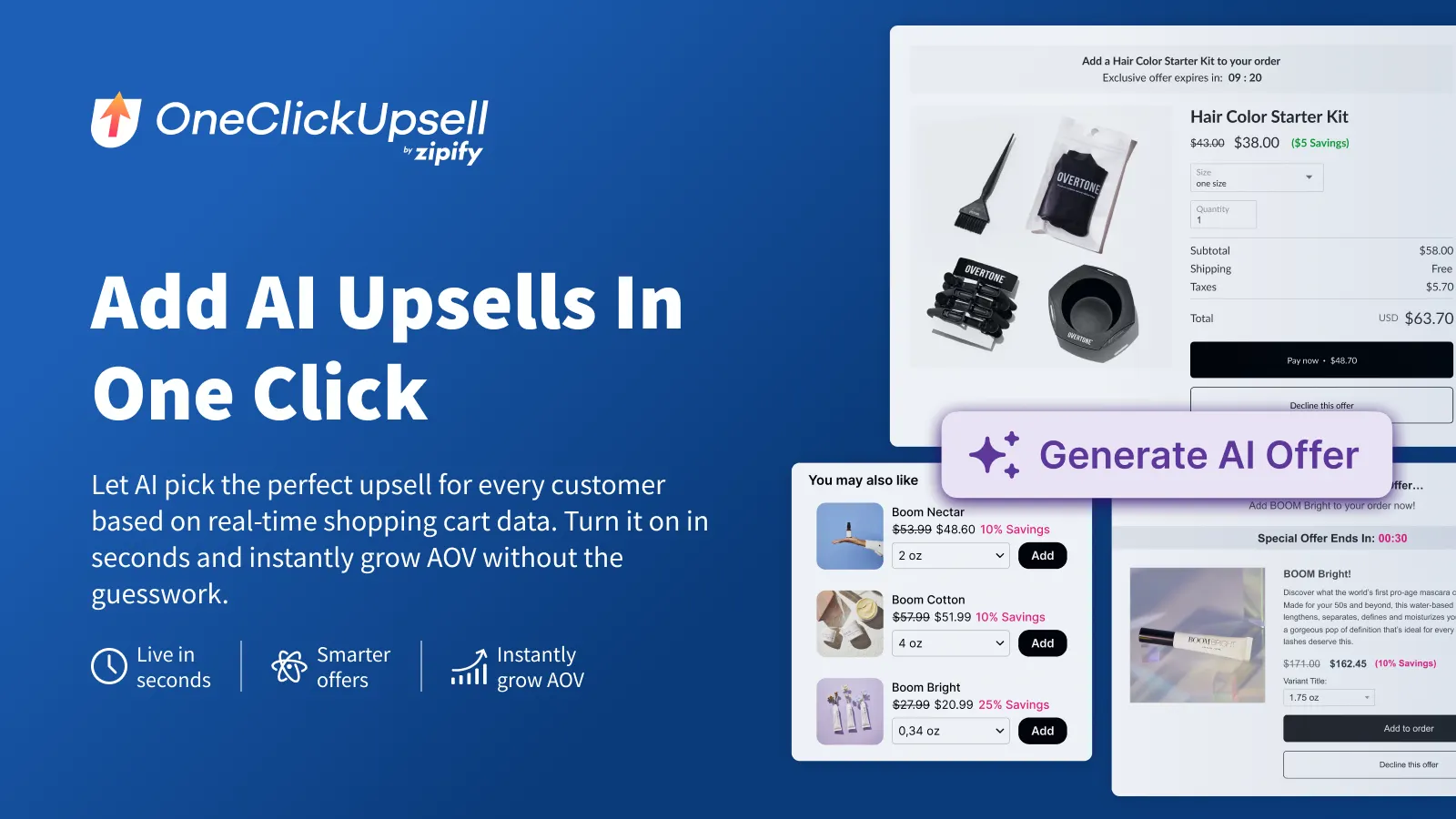
- Cart Drawer, a customizable slide cart with a rewards bar and up to 8 AI-powered offers, included in every plan at no extra fee.
- In-checkout upsells on Shopify Plus, plus one-click post-purchase and thank-you page offers.
- A/B split testing of offers, so you keep the one that earns more per visitor.
- The OCU AI Assistant, which finds what’s underperforming, recommends fixes and can create or update funnels.
Pricing is usage-based on upsell revenue, so you pay for what the app earns, never for order volume. Plans start at $9.95 a month with a 30-day free trial, and OCU is rated 4.6 from 578 reviews on the Shopify App Store (as of November 2026). Cheech & Chong added $90,000+ in upsell revenue in 7 weeks (a 39x ROI) after switching to OCU in July 2025.
Put offers at every stage of the stack in one app: OneClickUpsell, from $9.95 a month with a 30-day free trial
How Do You Know An AOV Change Worked?
You know an AOV change worked when revenue per visitor and gross profit per order rise against a 2–4 week baseline, not just AOV. Compare four numbers before and after: AOV, revenue per visitor, conversion rate and gross profit per order. Change one thing at a time, or you won’t know which change did it.
- Record a baseline. Note the four numbers for the 2–4 weeks before the change, ideally a period without a big sale.
- Change one variable. A new threshold, a new offer or a new discount, but not all three at once.
- Split test where your tool allows it. Showing two versions to random halves of your traffic removes the noise of seasonality and ad changes.
- Wait for enough visitors. Small tests produce false winners. With Optimizely’s sample size calculator, an offer converting at 3% needs about 13,000 visitors per version to reliably detect a 20% lift (to 3.6%).
- Keep the winner by revenue per visitor and margin, not by take rate. A version fewer people take can still earn more.
Low traffic? Test bigger differences (a bundle against no bundle), because large effects need fewer visitors.
Frequently Asked Questions
Do upsells hurt conversion rate?
Upsells can lower the conversion rate of the step they sit on, and that can still be a win. What matters is revenue per visitor: if conversion slips from 3% to 2.8% but AOV rises 10%, each visitor is worth about 3% more. Post-purchase upsells appear after payment, so they can’t cost you the original sale at all.
How many upsell offers is too many?
One relevant offer per stage is a good starting rule, with two or three add-ons in a cart drawer at most. Problems start when offers repeat or compete, especially when two apps show offers at the same stage. If a shopper sees the same product twice before checkout, cut one.
Can I increase AOV with Shopify’s free tools?
Yes, for the basics. Shopify Bundles handles product bundles, and the Search & Discovery app adds complementary product recommendations. What the free tools don’t cover is one-click post-purchase offers, split testing and AI-powered offer selection, which is where a dedicated app comes in. If you’re comparing options, here are upsell apps compared side by side.
How long does it take to see a higher average order value?
Threshold and cart changes often show within the first few weeks. Gussy’s Gut raised AOV by 16.47% in its first 30 days with a cart drawer. Before you call a result, give each test enough visitors to trust it. On a low-traffic store, that can take a month or more per offer.
The Takeaway
Don’t add more tactics. Add stages. Start with a threshold built from your median order and a bundle or quantity offer on your best-seller’s product page. Then add a one-click post-purchase offer and judge every change by revenue per visitor, not conversion rate.
That’s how to increase average order value on Shopify without buying more traffic: more stages, honest discounts and the right number on the scoreboard. OCU covers every stage of the stack in one app, so you can build it in one place.