
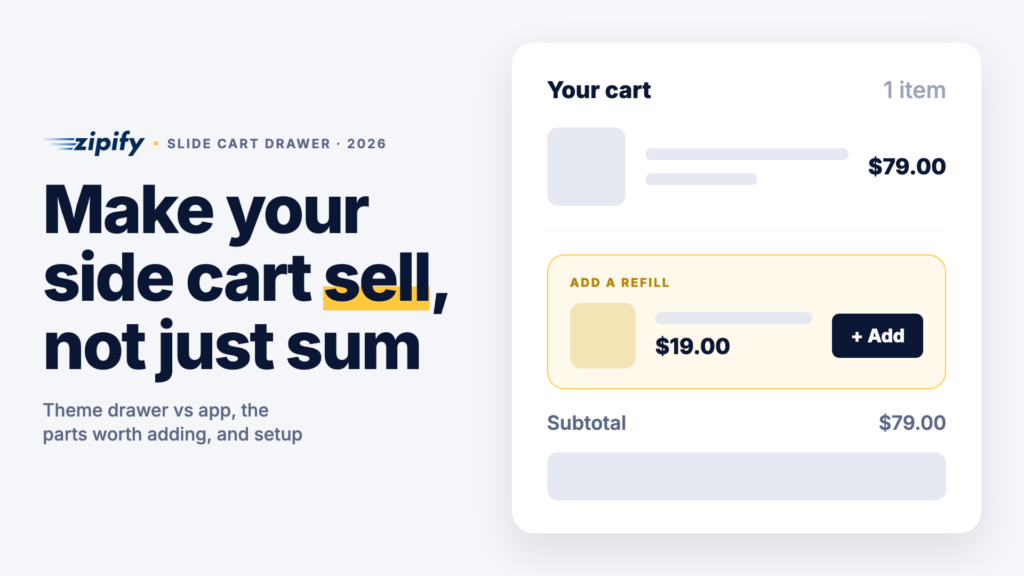
A slide cart drawer is a cart panel that slides in from the side of the screen when a shopper adds a product, so they can edit their cart without leaving the page. Most Shopify themes can show one for free; an app adds the parts that raise order value, like upsells and a reward bar.
For this guide I read Shopify’s theme documentation and the help center and 2026 changelog for the drawer in OneClickUpsell (OCU).
What Is A Slide Cart Drawer?
A slide cart drawer, also called a slide cart, slide-out cart or cart slider, is a panel that opens over the current page with the cart’s items, quantities, subtotal and a checkout button. Shoppers close it and keep browsing instead of loading a separate cart page.
In Shopify’s theme settings, the cart can show as a drawer, a page or a pop-up notification. Only the drawer and the pop-up keep shoppers on the product page.
Is Your Theme’s Cart Drawer Enough, Or Do You Need An App?
Your theme’s drawer is enough when shoppers only need to see and edit their cart in place. You need an app when you want the drawer to sell: offers inside the cart, a progress bar toward a reward, and add-ons like shipping protection.
Scroll sideways for more →
| What you need | Theme cart drawer | Cart drawer app (OCU example) |
|---|---|---|
| Edit the cart without leaving the page | Yes (Cart type: Drawer) | Yes |
| Product offers inside the cart | No | Up to 8 per offer, manual or AI-picked |
| Progress bar toward a reward | No | Up to 3 tiers |
| Stats on views, orders and revenue | No | Yes |
Sources: Shopify Help Center (theme settings) and Zipify Help Center (Slide Cart Drawer), checked November 18, 2026.
My rule of thumb: switch the theme to Drawer first, and add an app once you have products that pair naturally, like refills or accessories.
What Should A Slide Cart Drawer Include?
Beyond line items, a subtotal and a checkout button, OCU’s drawer offers these parts:
- Upsell offers: up to 8 products, shown vertically, horizontally or as a carousel
- Reward bar: progress toward free shipping, an order discount or a free product, in up to 3 tiers
- Discount code field and savings labels
- Cart banner with an optional countdown timer
- Trust badges, shipping protection and customer notes
- Express checkout buttons such as Shop Pay, PayPal, Google Pay and Apple Pay, if active in your Shopify payments
I’d start with three: the reward bar, one upsell offer and express checkout. Every extra module pushes the checkout button further down a phone screen.
How Do You Pick The Free Shipping Threshold For A Reward Bar?
Set the first tier a little above your current average order value, so most shoppers are one item away, then review it after a few weeks. OCU’s reward bar reports orders and average order value per tier.
One step is easy to miss: OCU’s changelog notes that the bar’s free shipping isn’t linked to Shopify’s shipping settings. The bar shows the promise; Shopify charges the shipping. Create a free-shipping rate with the same minimum order amount in Shopify’s shipping rate settings. The reward bar setup guide covers targeting and the free-gift choice.
How Do You Add A Slide Cart Drawer With OneClickUpsell?
You set it up in six steps, with no code:
- In OCU, open Slide Cart Drawer and click Create Cart Drawer.
- Turn on the OCU Slide Cart Drawer app embed in your theme editor (Online Store > Themes > Customize > App embeds) and save.
- In the Cart Drawer Builder, pick the Classic or Wide template and match fonts and colors to your store.
- Show the parts you want and set the drawer’s status to Live.
- For upsells, go to Funnels > Cart Drawer Upsell > Add Upsell Offer, choose up to 8 products and publish. Or click Generate AI Offer to let OCU pick products for each cart.
- To compare two versions, create a split test from the drawer’s menu.
The drawer has no extra fee on any OCU plan. OCU itself is one plan priced by the upsell revenue it brings in, from $9.95/month up to a $999 cap, per the OCU pricing page, with a 30-day free trial. You can install OneClickUpsell from the Shopify App Store.
The cart is one of several placements in OneClickUpsell; Zipify’s guide to in-cart upsells on Shopify has offer ideas.
What Results Do Cart Drawer Upsells Drive?
Zipify’s Slide Cart Drawer case study reports $1.5M+ in revenue from the drawer within months of launch, at over $300K a month and rising:
- Gussy’s Gut: AOV up 16.47% in the first 30 days with OCU; 50% of upsell orders came from the drawer.
- Savvy Touch: $38,134 in added revenue from drawer upsells, 76% of its upsell revenue.
- Rootganic: 20% of upsell revenue from the drawer, at $4.16 revenue per visit.
Three stores aren’t a benchmark: judge the drawer on its own stats.
Frequently Asked Questions
Is OneClickUpsell’s slide cart drawer free?
The drawer costs nothing extra: it’s included in every OneClickUpsell plan, with cart upsells and the reward bar. OCU itself is paid, from $9.95 per month based on upsell revenue, after a 30-day free trial. Only development and partner stores use it free.
Does a slide cart drawer work on mobile?
Yes. The drawer opens over the page on phones as on desktop, and OCU’s builder has a mobile preview. Keep it short on small screens: Zipify recommends turning off the sticky footer when you show upsells, because it can squeeze the cart on mobile.
What happens if the slide cart drawer doesn’t load?
If OCU’s slide cart drawer fails to display, your theme’s default Shopify cart appears instead, so shoppers can still check out. Check that the OCU Slide Cart Drawer app embed is turned on in the theme editor of your live theme.
Can I use OCU’s slide cart drawer with Zipify Pages?
Yes. OCU’s slide cart drawer works on Zipify Pages product pages once the OneClickUpsell integration is enabled in OCU’s settings. Set the page’s “Add to Cart” button to stay on the same page, so the drawer opens instead of the cart page.
The Bottom Line
Turn on your theme’s cart drawer first: it’s free and keeps shoppers on the page. Move to an app when you want the drawer to raise order value, starting with a reward bar backed by a real Shopify shipping rate, one upsell and express checkout. If you already run OneClickUpsell, its drawer adds those at no extra fee.