
The Shopify App Store now lists more than 21,000 apps, according to Shopify’s April 2026 ecosystem update, and most “must-have Shopify apps” lists hand you 15 or 20 of them at once. A new store doesn’t need that many. It needs 5 or 6 apps before launch, most of them free, and the rest only when a specific problem shows up.
So I sorted the must-have Shopify apps by store stage instead of by popularity. For each of 17 categories you get the trigger that says it’s time to install, 3 or 4 apps to choose from, and what each costs. I checked every price on November 9, 2026. Three of the apps are Zipify’s own, and they sit in their own categories, with the alternatives right next to them.
Key Takeaways
- Start with Shopify’s free apps (Inbox, Search & Discovery, Messaging, Flow, Subscriptions) and add a third-party app only when the free one runs out.
- Install a category when its trigger shows up, not because a list calls it a must-have.
- A launch stack can cost $0. Every category in this guide on its entry tier comes to roughly $205 to $251 a month.
- Read how each app bills (contacts, orders, revenue, products or a flat fee) before you compare prices.
- Check whether ChatGPT and other AI assistants can read your product data. It’s the newest category, and the cheapest one to fix early.
Which Shopify Apps Does a New Store Need First?
A new Shopify store needs about 5 or 6 apps before launch: email capture, product reviews, live chat, search and filters, cookie consent and an AI search readiness check. Most have a free plan that covers a first catalog, so the launch stack can cost nothing. Everything else waits for its trigger.
Start with Shopify’s own apps. Inbox, Search & Discovery, Messaging, Flow and Subscriptions are built by Shopify, kept current with every platform update, and cost nothing at a new store’s volume. Reach for a third-party app when the native one stops covering the job.
When you do, check for the “Built for Shopify” badge. Under Shopify’s Built for Shopify requirements, an app with the badge can’t lower your storefront’s Lighthouse performance score by more than 10 points, and Shopify re-reviews the status every year. It’s a quick filter for app bloat.
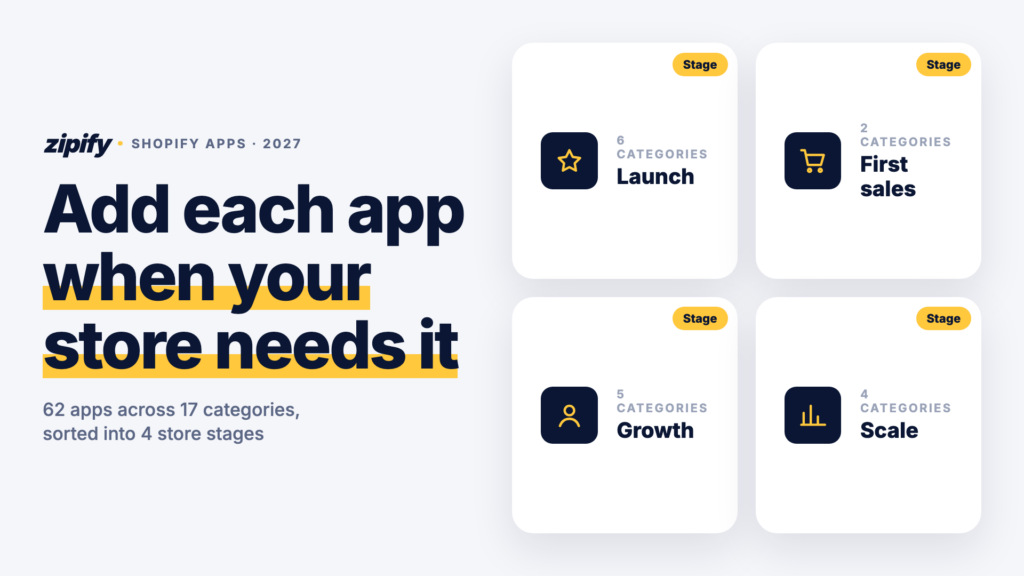
The 4 stages below are my rule of thumb, not a revenue formula. Move to the next one when its trigger fits your store.
Scroll sideways for more →
| Stage | You’re here when… | Categories to add |
|---|---|---|
| 1. Launch | You’re about to take your first order | Email, reviews, chat, search, cookie consent, AI search readiness |
| 2. First steady sales | Orders come in most days | Upsells and cross-sells, order tracking |
| 3. Growth | You pay for traffic and see repeat buyers | Landing pages, loyalty, subscriptions, returns, helpdesk |
| 4. Scale | Volume outgrows spreadsheets and one inbox | Automation, profit analytics, inventory, accounting |
Stage 1: What Should You Install Before Launch?
Before launch, a store needs to capture emails, look trustworthy to a stranger, answer questions fast and be findable, both in search and in AI assistants. Six categories cover that, and every pick below has a free plan.
Email and SMS
Email is the one channel you own from day one. Automated flows earn most of it: in Omnisend’s 2026 Ecommerce Marketing Report, automated emails were 2% of sends but drove 30% of email revenue.
Install it when
Before launch, so the welcome and abandoned-cart flows run from your first visitor.
Scroll sideways for more →
| App | Best fit | Free plan | Paid from |
|---|---|---|---|
| Klaviyo | Email + SMS that grows into segmentation | 250 active profiles, 500 emails/mo | $20/mo (email, up to 500 contacts) |
| Shopify Messaging | Email, SMS and WhatsApp inside Shopify | First 10,000 emails/mo | $1 per 1,000 emails after that |
| Omnisend | Email + SMS with simpler setup | 250 contacts, 500 emails/mo | $16/mo (500 contacts) |
| Seguno | Email built into the Shopify admin | 250 subscribers | $35/mo (2,500 subscribers) |
Prices from each app’s Shopify App Store listing or pricing page, checked November 9, 2026.
My pick
Shopify Messaging if you’ll send newsletters only; Klaviyo if you want flows and SMS to grow into (Klaviyo pricing). A November 2026 reviewer, Ginger Blue Decor, found Klaviyo’s new AI assistant made sending emails easier.
Product reviews
Strangers don’t trust a store with no reviews. In PowerReviews’ 2023 survey of 8,153 US shoppers, 93% said reviews affect whether they buy.
Install it when
Before your first order ships, so the review request goes out with it.
Scroll sideways for more →
| App | Best fit | Free plan | Paid from |
|---|---|---|---|
| Judge.me | Unlimited photo and video reviews on a budget | Unlimited reviews | $15/mo, flat |
| Loox | Photo-first review galleries | Up to 500 orders | $49.99/mo |
| Okendo | Reviews plus loyalty and quizzes | 50 orders/mo | $19/mo (200 orders/mo) |
| Yotpo | Reviews fed to Google Shopping | 50 orders/mo | $15/mo, scales with orders |
Prices from each app’s Shopify App Store listing or pricing page, checked November 9, 2026.
My pick
Judge.me. The free plan has no review cap and the paid tier is flat (Judge.me pricing). Red Gorilla – UK wrote in November 2026 that support adjusted a widget for them.
Live chat
Pre-sale questions (sizing, shipping, stock) cost sales when nobody answers. A chat box answers them while the shopper is still on the page.
Install it when
Before launch. The free option takes minutes to set up.
Scroll sideways for more →
| App | Best fit | Free plan | Paid from |
|---|---|---|---|
| Shopify Inbox | Free native chat on desktop and mobile | Free | — |
| Tidio | Live chat plus an AI chatbot | Live chat, 50 users | $29/mo |
| Re:amaze | Chat, chatbots and email in one inbox | No | $29/mo + $29 per extra user |
Prices from each app’s Shopify App Store listing or pricing page, checked November 9, 2026.
My pick
Shopify Inbox. It’s free and native, and The Crafty Family Co. noted in November 2026 that replying from desktop or phone is easy. Move to Tidio when you want a chatbot to take the repeat questions.
Search and filters
Shoppers who search already know what they want. Filters and decent search turn that intent into a product page instead of a dead end, and small catalogs don’t need a paid app for it.
Install it when
At launch for the free native app. Upgrade once your catalog passes a few hundred products or needs custom filters.
Scroll sideways for more →
| App | Best fit | Free plan | Paid from |
|---|---|---|---|
| Shopify Search & Discovery | Free filters, synonyms and basic recommendations | Free | — |
| Searchanise | Search priced by catalog size | Under 25 products | $19/mo (1,500 products) |
| Smart Product Filter & Search | Filter trees and Year/Make/Model search | Dev stores only | $14/mo (500 products) |
Prices from each app’s Shopify App Store listing or pricing page, checked November 9, 2026.
My pick
Search & Discovery. It’s free and also handles related-product recommendations. When those recommendations need more control, these product recommendation apps are the next step.
Cookie consent
If you sell to the EU or UK, or run ad pixels for visitors there, you need consent before setting non-essential cookies. The European Commission’s Your Europe guide also says visitors must be able to withdraw that consent.
Install it when
Before launch, if any EU or UK visitor can reach your store.
Scroll sideways for more →
| App | Best fit | Free plan | Paid from |
|---|---|---|---|
| Consentmo | Banner plus script blocking | Unlimited impressions, basic blocking | $10/mo (adds Google Consent Mode v2) |
| Pandectes | GDPR banner and compliance tools | Basic banner | $9/mo (adds Consent Mode v2) |
| CookieYes | GDPR and CCPA banner | 5,000 pageviews/mo | $10/mo |
Prices from each app’s Shopify App Store listing or pricing page, checked November 9, 2026.
My pick
Consentmo on the free plan, then its $10 tier once you run Google Ads to EU visitors and need Consent Mode v2 (Consentmo pricing). Floris London called it easy to use in November 2026. This isn’t legal advice: check what applies to your markets.
AI search readiness
Shoppers now ask ChatGPT, Gemini and Perplexity what to buy. According to Adobe’s March 2025 survey, 39% of US consumers had already used generative AI to shop online. Those assistants recommend products they can read, so missing titles, thin descriptions and absent structured data make you invisible. If you’ve wondered why ChatGPT recommends a competitor and not you, that’s usually the reason.
Install it when
Before launch, while the catalog is small and every fix is quick.
Scroll sideways for more →
| App | Best fit | Free plan | Paid from |
|---|---|---|---|
| ShopRank AIOur app | Scores product pages for AI assistants and fixes the gaps | Up to 50 products | $9.99/mo per 100 products |
| Shopify Knowledge Base | Edits the FAQs AI shopping agents use about your store | Free | — |
| IndexGPT | AI visibility tracking and fixes | No | $12/mo |
| AI Search Optimizer & llms.txt | Generates JSON-LD and an llms.txt file | Up to 20 products | $9.90/mo (1,000 products) |
Prices from each app’s Shopify App Store listing or pricing page, checked November 9, 2026.
My pick
ShopRank AI, Zipify’s app. It checks every product page against 17+ factors, gives an AI-Readiness Score, writes missing alt text, adds JSON-LD and tracks 3 searches and 1 competitor on the free plan (ShopRank AI pricing). OneSource called it an inexpensive snapshot of how its catalog ranks in AI. Shopify’s free Knowledge Base app is worth adding alongside it, because it covers the store-level questions rather than product data.
Stage 2: What Should You Add Once Orders Come In Every Day?
Once orders arrive most days, the next gains come from the orders you already have: what each one is worth and how the customer feels after paying. Two categories cover that. If your traffic is fine but revenue isn’t, the problem is usually AOV, not traffic.
Upsells and cross-sells
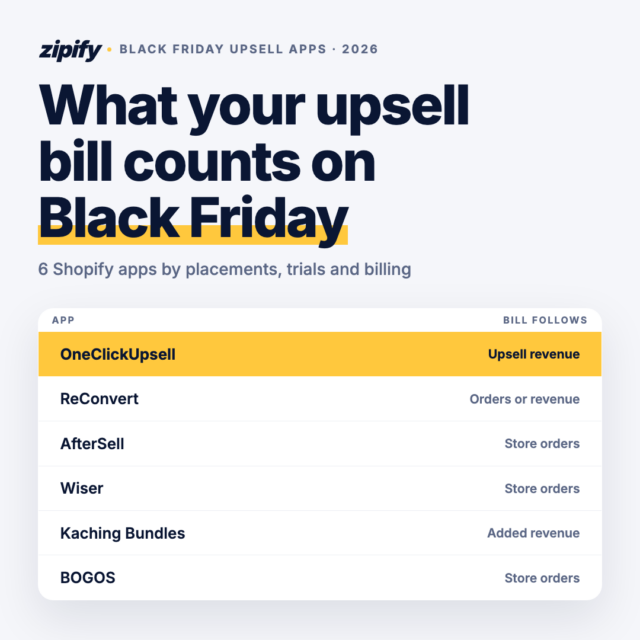
Average order value (AOV) is what each order is worth on average, and raising it grows revenue without buying more traffic. Upsell apps add relevant offers on the product page, in the cart, at checkout and after payment. What separates them is which placements each plan covers and what the bill is based on.
Install it when
You sell the same bestsellers repeatedly and have accessories, refills or bundles to pair with them.
Scroll sideways for more →
| App | Best fit | Free plan | Paid from |
|---|---|---|---|
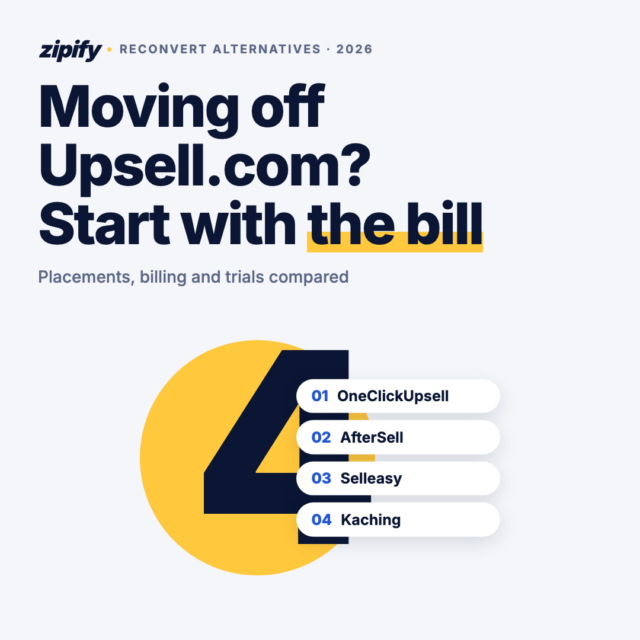
| OneClickUpsell (OCU)Our app | Every placement in one plan, priced on upsell revenue | Dev stores only | $9.95/mo until upsells earn $200/mo |
| ReConvert | Thank-you page and post-purchase offers | Up to 50 orders or $50 upsell revenue | $9.99/mo, priced by store orders |
| Selleasy | In-cart, checkout and post-purchase offers | Unlimited orders, 5 campaigns | $9/mo |
| Aftersell | Post-purchase offers on a flat plan | Dev stores only | $34.99/mo |
Prices from each app’s Shopify App Store listing or pricing page, checked November 9, 2026.
My pick
OneClickUpsell (OCU), Zipify’s app, runs on 15,000+ Shopify stores and has tracked $1.5B+ in upsell revenue. Every plan includes the product page pop-up and widget, the Cart Drawer, checkout upsells (Shopify Plus), one-click post-purchase offers and thank-you page offers. It costs $9.95 a month while upsells earn under $200 a month, then steps up with upsell revenue, never with order volume, and caps at $999 (OCU pricing). The Cart Drawer alone helped merchants grow AOV by 20%. PAWD DRINKS wrote in October 2026 that it adds over £3 to every order. Under 50 orders a month, ReConvert’s or Selleasy’s free tier is the cheaper way to test the idea. For a deeper side-by-side, see 10 Shopify upsell apps by placement and price.
Try OneClickUpsell free for 30 days
Every upsell placement on one plan, $9.95/month while upsells earn under $200 a month.
Order tracking
“Where is my order?” emails start the week your volume picks up. In Narvar’s 2025 State of Post-Purchase report, two-thirds of shoppers said they feel anxious after clicking buy, and 73% said estimated delivery dates influence what they buy.
Install it when
You answer “where is my order?” more than once a day.
Scroll sideways for more →
| App | Best fit | Free plan | Paid from |
|---|---|---|---|
| AfterShip | Branded tracking pages and delivery emails | 50 shipments/mo | $11/mo (100 shipments) |
| Track123 | Low-cost branded tracking | 50 orders/mo | $9/mo (300 orders) |
| CWILL Order Tracking (Parcel Panel) | Tracking pages plus order lookup | 20 orders/mo | $11/mo (200 orders) |
Prices from each app’s Shopify App Store listing or pricing page, checked November 9, 2026.
My pick
AfterShip for its 50-shipment free plan (AfterShip pricing). Track123 is the better deal above 100 orders a month. La Viva Chic praised AfterShip’s support in November 2026.
Stage 3: Which Apps Help a Growing Store Convert Paid Traffic and Keep Customers?
At the growth stage you pay for traffic and start seeing repeat buyers, so two things matter: converting the visitors you pay for, and keeping the customers you already won. Loyalty pays back for most brands that measure it: in Antavo’s 2025 Global Customer Loyalty Report, 83% of program owners who track ROI reported a positive return. Five categories carry this stage.
Landing pages and split tests
Paid traffic converts better on a page built for the ad than on a generic product page. A page builder lets you make campaign pages without a developer, and split testing tells you which version actually sells.
Install it when
You run paid ads to a specific offer and your theme can’t build the page you need.
Scroll sideways for more →
| App | Best fit | Free plan | Paid from |
|---|---|---|---|
| Zipify PagesOur app | Direct-response templates with split tests on every plan | Dev stores only | $19/mo (5 landing pages) |
| PageFly | Drag-and-drop pages with AI help | 1 published page or section | $24/mo |
| GemPages | Conversion-focused templates | 1 published page | $29/mo |
| Replo | Custom pages for larger teams | Build and preview only | $119/mo |
Prices from each app’s Shopify App Store listing or pricing page, checked November 9, 2026.
My pick
Zipify Pages, Zipify’s builder. It has 125+ templates built by store operators, publishes product, collection, home, blog and landing pages on your own domain, works with OCU and includes split testing from the $19 Starter plan, with a 14-day trial (Zipify Pages pricing). NOOMI Stockholm uses it for product pages, its blog and its homepage. If you need just one page and have no budget, PageFly and GemPages each publish one for free. For a deeper look, here’s how to choose a Shopify landing page builder.
Loyalty and referrals
Loyalty points and referral rewards give one-time buyers a reason to come back. They do nothing before you have repeat customers, which is why this category waits until Stage 3.
Install it when
A noticeable share of your orders comes from returning customers (my rule of thumb: about 1 in 5).
Scroll sideways for more →
| App | Best fit | Free plan | Paid from |
|---|---|---|---|
| Smile | Points, rewards and referrals | 200 monthly orders | $15/mo (500 orders) |
| Rivo | Loyalty plus customer accounts | 200 monthly orders | $15/mo (500 orders) |
| BON Loyalty | Low-cost points and VIP tiers | 150 monthly orders | $15/mo (300 orders) |
| LoyaltyLion | Loyalty tied to Klaviyo flows | 400 monthly orders | $199/mo |
Prices from each app’s Shopify App Store listing or pricing page, checked November 9, 2026.
My pick
Smile: free up to 200 orders a month, then $15 (Smile pricing). VIP tiers start on its Growth plan. WagsMarket praised its support in November 2026.
Subscriptions
Subscriptions turn repeat purchases into predictable revenue, but only for products people reorder on a cycle: coffee, supplements, skincare, pet food. For furniture or one-off gifts, skip the category. If you add one, subscription upsells can turn one-time buyers into subscribers after checkout.
Install it when
Customers already reorder the same product every few weeks.
Scroll sideways for more →
| App | Best fit | Free plan | Paid from |
|---|---|---|---|
| Shopify Subscriptions | Free basic subscriptions, native | Free | — |
| Appstle | Priced by subscription revenue | Up to $500/mo subscription revenue | $10/mo (up to $5K) |
| Seal Subscriptions | Priced by subscriber count, no revenue share | 50 subscriptions | $5.95/mo (100 subscriptions) |
| Recharge | Large subscription programs | No | $149/mo + 1.5% + 20¢ per transaction |
Prices from each app’s Shopify App Store listing or pricing page, checked November 9, 2026.
My pick
Shopify Subscriptions while your program is simple, then Appstle when you need more control without a transaction fee (Appstle pricing). NightSera said in November 2026 that Appstle’s support set everything up for them.
Returns and exchanges
Returns grow with sales whether you plan for them or not. The NRF’s 2025 Retail Returns Landscape puts returns at 19.3% of US online sales. A returns portal handles the back-and-forth and can steer refunds toward exchanges, which keeps the revenue.
Install it when
Return requests arrive every week and you’re handling them by email.
Scroll sideways for more →
| App | Best fit | Free plan | Paid from |
|---|---|---|---|
| AfterShip Returns & Exchanges | Self-service returns portal | Shopper-funded Return Care | $19/mo (20 returns) |
| Redo | Returns plus order protection | Returns module free | $10/mo for add-on modules |
| ReturnGO | Automated exchanges and store credit | No | $147/mo (110 returns) |
| Loop | High return volumes | Checkout+ (by eligibility) | $340/mo |
Prices from each app’s Shopify App Store listing or pricing page, checked November 9, 2026.
My pick
AfterShip Returns at $19 a month for a growing store (AfterShip Returns pricing). Redo’s free returns module is worth a look if you want to test a portal first. Loop starts at $340 a month, so it fits once returns run into the hundreds.
Helpdesk
A helpdesk pulls every email, chat and social message into one queue, with the customer’s order next to each ticket. Shopify Inbox is fine for one person. It isn’t built for a team.
Install it when
More than one person answers customers, or tickets about orders start slipping.
Scroll sideways for more →
| App | Best fit | Free plan | Paid from |
|---|---|---|---|
| Gorgias | Ecommerce helpdesk with order actions | No | $10/mo (50 tickets) |
| Richpanel | AI agents for order and return tickets | No | $89/mo |
| Zendesk | Omnichannel helpdesk for larger teams | No | $55 per agent/mo (annual) |
Prices from each app’s Shopify App Store listing or pricing page, checked November 9, 2026.
My pick
Gorgias. Its $10 Starter tier covers 50 tickets a month and grows per ticket (Gorgias pricing). 4Endurance España credited its support in October 2026. Its AI Agent is a separate add-on.
Stage 4: What Do You Add When the Store Runs at Scale?
At scale, the bottlenecks move to the back office: repetitive tasks, profit you can’t see, stock you can’t forecast and month-end books. These four categories pay for themselves in hours saved, so the trigger for each is time, not revenue.
Workflow automation
Shopify Flow is a free Shopify app that automates tagging, fraud flags, inventory alerts and fulfillment steps.
Install it when
You do the same admin task by hand every day.
Scroll sideways for more →
| App | Best fit | Free plan | Paid from |
|---|---|---|---|
| Shopify Flow | Free native automation | Free | — |
| MESA | No-code workflows across apps | 50 tasks/mo | $12/mo (500 tasks) |
| Mechanic | Code-level custom tasks | No | From $16/mo |
| Zapier | Connecting non-Shopify tools | Not for Shopify (paid plan required) | $29.99/mo (750 tasks) |
Prices from each app’s Shopify App Store listing or pricing page, checked November 9, 2026.
My pick
Flow first. Add MESA when a workflow has to reach outside Shopify.
Profit analytics
Shopify reports revenue. Profit analytics subtracts ad spend, product costs, shipping and fees, and shows which customers are worth what over time (lifetime value, or LTV).
Install it when
You spend on 2 or more ad channels and can’t say which customers are profitable.
Scroll sideways for more →
| App | Best fit | Free plan | Paid from |
|---|---|---|---|
| Lifetimely | LTV cohorts plus a profit dashboard | Yes | $49/mo (500 orders/mo) |
| TrueProfit | Real-time net profit | No | $35/mo (300 orders) |
| BeProfit | Profit and P&L across channels | No | $49/mo (450 orders) |
| Polar Analytics | Multi-source BI and attribution | No | From $750/mo, by GMV |
Prices from each app’s Shopify App Store listing or pricing page, checked November 9, 2026.
My pick
Lifetimely for the LTV view (Lifetimely pricing); TrueProfit if you only need daily net profit.
Inventory forecasting
Shopify’s own Stocky app was delisted on February 2, 2026 and stopped working on August 31, 2026, per Shopify’s Stocky transition guide. Stores that used it need a replacement.
Install it when
You’ve had a stockout on a bestseller, or purchase orders live in a spreadsheet.
Scroll sideways for more →
| App | Best fit | Free plan | Paid from |
|---|---|---|---|
| Prediko | Forecasts and purchase orders, unlimited SKUs | No | $49/mo (under $100K annual GMV) |
| Stockie | Low-stock alerts, forecasting on Pro | No | $4.99/mo (forecasting: $29.99) |
| Inventory Planner by Sage | Larger multi-warehouse catalogs | No | Quote-based |
Prices from each app’s Shopify App Store listing or pricing page, checked November 9, 2026.
My pick
Prediko (Prediko pricing); Stockie on a tighter budget.
Accounting sync
Shopify payouts bundle many orders, fees and refunds into one deposit, which makes bookkeeping slow. Accounting apps split them into clean entries in QuickBooks or Xero.
Install it when
Month-end reconciliation takes more than a day.
Scroll sideways for more →
| App | Best fit | Free plan | Paid from |
|---|---|---|---|
| A2X | Payout reconciliation for QuickBooks or Xero | No | $29/mo (200 orders/mo) |
| Synder | Transaction-level sync | No | $65/mo (500 transactions) |
| QuickBooks Online | Intuit’s own connector | Free to connect | QuickBooks plan from $38/mo |
| Xero | Xero’s own daily sales sync | Free to connect | Xero plan from $27/mo |
Prices from each app’s Shopify App Store listing or pricing page, checked November 9, 2026.
My pick
A2X (A2X pricing), built for exactly this job.
What Does Each Stage’s App Stack Cost per Month?
A launch stack of free plans costs $0 to $10 a month. With every category in this guide on its entry tier, the total comes to roughly $205 to $251 a month, before any app moves up a tier with your volume. The table uses each category’s pick, on the free plan where one fits a store at that stage.
Scroll sideways for more →
| Stage | What you add (pick, entry tier) | Adds per month | Running total |
|---|---|---|---|
| 1. Launch | Klaviyo or Shopify Messaging, Judge.me, Shopify Inbox, Search & Discovery, ShopRank AI (free plans); Consentmo (free, or $10 for Consent Mode v2) | $0 to $10 | $0 to $10 |
| 2. First steady sales | OCU $9.95; AfterShip $0 to $11; Klaviyo $20 once you pass 250 profiles | $29.95 to $40.95 | about $30 to $51 |
| 3. Growth | Zipify Pages $19; Smile $0 to $15; Shopify Subscriptions or Appstle $0 to $10; AfterShip Returns $19; Gorgias $10 | $48 to $73 | about $78 to $124 |
| 4. Scale | Shopify Flow $0; Lifetimely $49; Prediko $49; A2X $29 | $127 | about $205 to $251 |
Entry-tier prices from each app’s App Store listing or pricing page, checked November 9, 2026. Totals rounded.
The totals move with how each app bills. OCU grows with upsell revenue, Klaviyo with contacts, ShopRank AI per 100 products and AfterShip per shipment, so those bills rise only as the app has more to do. Judge.me and Zipify Pages charge flat tiers. Before you install anything, find the number that pushes it into the next tier and check where your store sits against it.
How Many Apps Is Too Many, and How Do You Audit Them?
There’s no fixed number. The rule that matters is one app per job: two apps doing the same thing slow the store and split your data. Remove any app that hasn’t moved its metric within 30 to 60 days.
Speed is the hidden cost. The HTTP Archive’s 2025 Web Almanac found that about 9 in 10 web pages load third-party code, with a median of 79 third-party requests per mobile page. Every storefront app adds to that.
A 15-minute app audit, once a quarter:
- List every installed app next to the job it does.
- Mark overlaps, such as two apps that both add a cart drawer or both send review emails.
- Note the metric each app should move and check whether it did.
- Uninstall what failed, then remove the leftover code from your theme.
- Re-run Shopify’s speed report and compare it with the last one.
Some apps are worth skipping until their trigger appears: loyalty before you have repeat buyers, profit analytics before you advertise on 2 or more channels, subscriptions for products nobody reorders, and a page builder if your theme already builds the pages you need.
The Bottom Line
Start lean. Before launch, the free stack (email, reviews, chat, search, consent and ShopRank AI’s free plan) covers a new store. Add OneClickUpsell when orders come in daily: it stays at $9.95 a month until upsells earn $200 a month. Add Zipify Pages when paid traffic needs pages built for the ad. Everything else waits for its trigger, and that’s what makes a must-have Shopify app a must-have: it solves a problem your store has right now.
10 Best Upsell Apps for Shopify in 2026
Shopify upsell apps side by side, by placement, billing and price.
Frequently Asked Questions
How many apps should a new Shopify store have?
Most new Shopify stores need 5 or 6 apps at launch: email, reviews, live chat, search and filters, cookie consent and an AI search readiness check. Most of those have free plans or are free Shopify apps. Add more only when a specific trigger appears, such as daily “where is my order?” emails or repeat buyers worth rewarding.
Do Shopify apps slow down a store?
They can. Apps that add code to the storefront, like widgets, pop-ups and chat, add page weight, while apps that work only in the admin don’t. Apps with the Built for Shopify badge can’t lower a storefront’s Lighthouse performance score by more than 10 points. Audit installed apps every quarter and remove leftover theme code after uninstalling.
Are the must-have Shopify apps free?
Many of the must-have Shopify apps for a new store are free or have a free plan, including Shopify Inbox, Search & Discovery, Messaging, Flow and Subscriptions, plus free tiers from Judge.me, Klaviyo and ShopRank AI. Paid tiers usually scale with contacts, orders, products or revenue, so check what pushes each app into its next tier.
Which apps help products show up in ChatGPT and other AI assistants?
AI assistants recommend products they can read: clear titles, full descriptions, image alt text and structured product data. Apps that audit and fix this include ShopRank AI (free up to 50 products), IndexGPT and AI Search Optimizer & llms.txt. Shopify’s free Knowledge Base app lets you edit the store FAQs that AI shopping agents use.
Can a Shopify store run without any third-party apps?
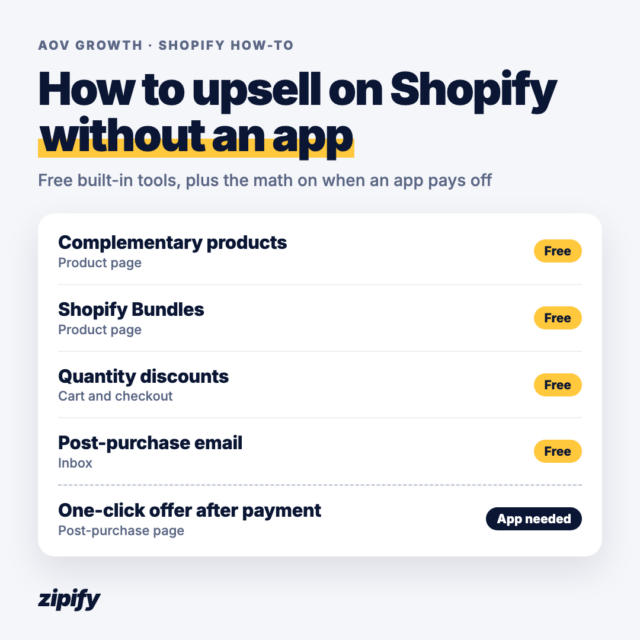
Yes, at launch. Shopify’s free apps cover email, chat, search, subscriptions and workflow automation. Most stores add third-party apps for reviews, cookie consent and, once orders are steady, upsells, tracking and returns. Those are the jobs where Shopify’s own tools stop or don’t exist, so even a lean list of must-have Shopify apps includes a few of them.