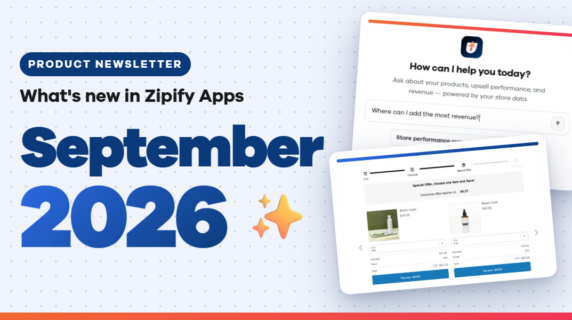

This month is all about precision and personalization — giving you more creative control over how your upsells look, behave, and perform.
Whether you’re dialing in your split tests or polishing your upsells, these updates help you fine-tune every step of your funnel. With peak shopping season upon us, it’s the perfect time to squeeze more revenue out of every customer.
New for OneClickUpsell
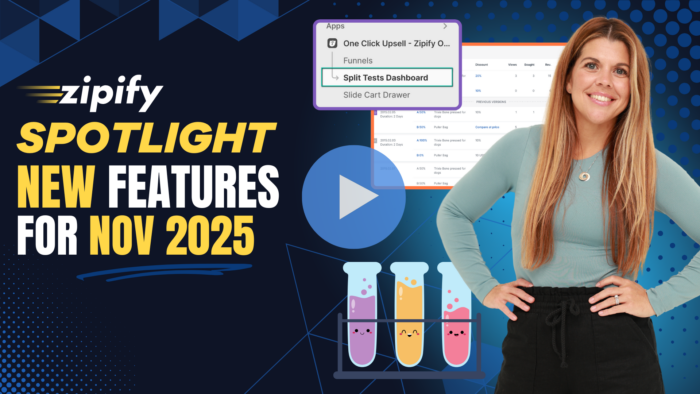
Split Test History Dashboard

The new Split Test History Dashboard inside OneClickUpsell gives you a clear timeline of every A/B test you’ve run — including:
- What changed
- When each test ran
- How it performed
Instead of guessing which headline, layout, or offer worked best, you now have a snapshot of your performance record for all your tests, so you can learn from past winners and avoid repeating losers.
OCU Plus Exclusive Feature:
For our more advanced users on OCU Plus, your new Dashboard becomes a control center for optimization. You can manage your upsells and split tests directly from this page — no need to switch back and forth between individual funnels.
If you’re on Shopify Plus and want to learn more about our Enterprise OCU Plus program, 👉click here to book a quick demo.
Cart Drawer Design Improvements

This month, the Slide Cart Drawer upsell gets a bundle of design upgrades to help you dial in your user experience:
- Products to Display: Decide how many products to show at one time (1–3 buy boxes visible).
- Carousel Indicators: Add small navigation dots so shoppers can see where they are when swiping through multiple products.
- Arrow Styles: Choose from multiple arrow designs for your carousel of upsells.
Arrow Position: Place arrows at the top of the carousel or centered on the sides for a cleaner, more intuitive layout.
Plus, New Cart Drawer Buttons!
On top of that, your Cart Drawer CTA buttons can now automatically inherit button styles and colors from your Shopify theme.
That means every upsell looks and feels 100% native to your store — no jarring color mismatches or off-brand buttons. The result is a more cohesive experience that builds trust and converts better.
New Pre-Purchase Offer Styles & Layouts

Pre-purchase is one of the highest-leverage places to present an upsell — and now it’s a lot more flexible
Classic vs Modern Themes
Single-product “Add to Order” pre-purchase offers now include a Theme setting so you can choose between:
- Classic: The existing, proven layout
- Modern: A refreshed design with updated image placement, fixed height, and a new carousel layout
Use Modern when you want a more contemporary, “app-like” feel, or stick with Classic if it already matches your brand.
Image Resizing Options

Fine-tune how your products show up in the popup:
- Fit (default): Keeps the full image visible inside the container
Fill: Crops the image to fill the space for a bolder, more visual presentation — especially powerful with the Modern theme
Carousel Indicator Color
There’s also a new color picker for the image carousel indicators in the Modern theme, so you can match them to your brand palette.
Two New Layouts for Multi-Product Upsells
Now you can choose how multi-product pre-purchase offers are laid out, so your upsell design matches your store’s style.

The Vertical layout uses the classic stacked style where each product appears in its own row, one under the other.
Horizontal Layout with Carousel:

The Horizontal layout puts products side-by-side in a scrollable row. Perfect for when you want to showcase more products in a compact space without overwhelming the page.
Both options give you more control over how your offers look and feel, so you can create a more intuitive pre-purchase experience that fits your brand.
Smart Urgency: Thank You & Order Status Offer Expiration

You can now set an expiration time for your Thank You and Order Status page offers. By turning this on, you can:
- Limit how long an offer stays valid (for example, 15 minutes after purchase)
- Hide the offer automatically once the time window passes
- Keep your upsells stay in sync with your fulfillment schedule
If you prefer evergreen offers, just keep this setting turned off. Either way, you’re in control of how and when customers see your post-purchase offers.
What’s New With Zipify Pages
Two New Holiday Sale Templates
Over on Zipify Pages, we rolled out two new holiday sale templates ready for Christmas and one for New Year’s:

These templates are designed to highlight your limited-time offers, showcase seasonal specials, and add urgency to help you convert more traffic.
They’re live in your template library now, so you can spin up professional landing pages in minutes and keep your energy focused on capturing more revenue through the rest of Q4.
Make Every Click More Profitable
This month’s updates are all about giving you more control, more insight, and more ways to optimize every step of the customer journey.
Whether you’re dialing in your split tests, refreshing your pre-purchase offers, or spinning up new holiday pages, the goal is the same: make more profit from every visitor.
Log in to OneClickUpsell and Zipify Pages to try the new features, tighten up your funnel, and finish 2026 with your highest-converting techstack yet.