

Why GPTBot Is Suddenly Everywhere (And Why You Should Care)
You’ve probably seen it in your site logs or heard rumblings in your SEO Slack group: GPTBot is crawling your site. But what is it? Is it helpful? Harmful? Do you need to block it?
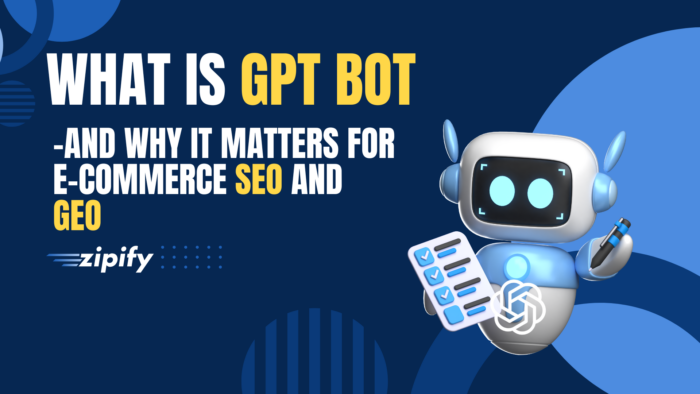
Here’s the TL;DR: GPTBot is OpenAI’s web crawler. It powers ChatGPT and other AI tools by collecting public web content to improve answers and responses.
For ecommerce operators, that means your content might be helping train ChatGPT—without driving a single visit to your store.
In this post, we’ll break down:
- What GPTBot is
- How it works
- Why it matters for your SEO and content strategy
- How to control or block it
- Whether letting it crawl your site is worth it
Let’s get into it.
What Is GPTBot?
GPTBot is OpenAI’s official web crawler, basically, their version of Googlebot.
But here’s the catch:
While Googlebot indexes your site to send traffic from search results, GPTBot is here to train ChatGPT. No backlinks. No rankings. No clicks.
Think of it like this:
- Googlebot = “I’ll crawl your site, then maybe send you a visitor.”
- GPTBot = “I’ll crawl your site so ChatGPT can answer questions better (but I won’t send traffic back).”
It collects publicly available web content that isn’t behind logins, paywalls, or blocked by robots.txt.
How GPTBot Works
GPTBot scrapes public web pages to make ChatGPT “smarter.” But it’s not lawless, there are filters and restrictions in place.
✅ It Crawls:
- Public-facing blogs, help docs, and product pages
- Content not blocked by robots.txt
- Sites without login or paywall requirements
🚫 It Avoids:
- Password-protected content
- Pages explicitly blocked via robots.txt
- Personally identifiable information (PII) or payment data
The end result?
Your product descriptions, comparison guides, and gift guides might now fuel ChatGPT responses, showing up in AI-driven answers, but without the traffic attribution or direct link back.
Why GPTBot Matters for Ecommerce & SEO (This Is the Real Story)
Okay, so why should ecommerce merchants care?
Because we’re entering the GEO era: Generative Engine Optimization.
GEO = New rules for being “found” online.
Search isn’t just 10 blue links anymore. Now it’s:
- “ChatGPT, what’s the best yoga mat under $100?”
- “Copilot, compare Dyson vs Shark for pet hair.”
- “What’s a good skincare routine for dry skin?”
Those AI engines aren’t linking to your site. They’re summarizing it. Maybe quoting you. Maybe not. And if GPTBot crawled your store? Your copy is fair game.
But it’s not all bad. Let’s break it down.
Pros & Cons of GPTBot for Ecommerce
✅ The Upside
- Brand visibility in AI answers: Your content could show up in high-intent, AI-generated recommendations, even if the user never searched for you directly.
- New form of discovery: Shoppers are asking ChatGPT for buying advice. If you show up, you’re building top-of-funnel awareness in a space your competitors may be ignoring.
- Content quality matters again: AI prioritizes helpful, expert content. If your blog posts, guides, and comparisons are strong, you have an edge.
❌ The Tradeoffs
- No guaranteed traffic or attribution: You could power an answer that leads to a sale, and never know it was your content.
- Loss of control: GPTBot decides what to learn from your site. You don’t get to pick what’s summarized or omitted.
- IP concerns: If you’ve invested heavily in branded, proprietary content, you may not want it used to train someone else’s AI.
GEO vs SEO: You Now Need Both

If you want to show up when someone asks, “What’s the best cruelty-free body lotion under $30?”—you can’t just optimize for Google.
You need to write for humans AND machines, and structure content so it’s useful and scrapable (in a good way).
How to Block GPTBot (If You Want To)
GPTBot follows standard robots.txt protocols, which means you can block it the same way you’d block any bot.
To block GPTBot from crawling your site:
Just add this to your robots.txt file:
User-agent: GPTBot
Disallow: /
Want to allow certain folders but block others?
User-agent: GPTBot
Disallow: /private-content/
Allow: /blog/
Where to find robots.txt in Shopify:
Shopify automatically generates a robots.txt file, but to customize it:
- Go to your Online Store > Edit Code
- Find and edit robots.txt.liquid
- Add the lines above to control access for GPTBot
Heads up: Only Shopify Plus stores or stores using a custom theme have full access to robots.txt.liquid.
Final Take: GPTBot Isn’t a Threat—It’s a Tool (If You Use It Right)
GPTBot is part of a bigger shift toward AI-driven discovery, and ecommerce brands need to pay attention.
Is it perfect? No.
Is it optional? Also no.
But you can manage it strategically.
✅ If you want more brand exposure in AI engines, let GPTBot crawl helpful, high-quality content.
✅ If you want to protect proprietary guides or product data, block it from specific folders.
✅ And no matter what, optimize for both GEO and SEO moving forward.
Because showing up in Google is no longer the only game in town.
Want to make sure every visitor you do get spends more and comes back?
That’s where we come in.
👉 Try Zipify OneClickUpsell and start turning one-time buyers into high-AOV traffic with no extra ad spend.
More revenue. Less guesswork. Smarter scaling in the AI era.